SEZMail Documentation
Complete documentation for SEZMail — a WordPress-native email marketing and audience management system for managing subscribers, lists, campaigns, templates, signup forms, automation, segmentation, landing pages and reporting directly from WordPress.
Quick Start
Follow this basic workflow to start using SEZMail.
01. Overview — What is SEZMail?
What is SEZMail?
SEZMail is a WordPress-native email marketing and audience management system designed to manage subscriber data, lists, campaigns, templates, signup forms, automation, segmentation, landing pages and reporting directly from the WordPress dashboard.
What can you do with SEZMail?
Basic SEZMail workflow
Important: Email delivery depends on the sending method and email configuration selected in SEZMail Settings.
02. Installation & Setup
Installing SEZMail
SEZMail is installed as a WordPress plugin. After installation and activation, the SEZMail menu becomes available inside the WordPress administration area.
Installation steps
- Open the WordPress administration dashboard.
- Go to Plugins → Add New Plugin.
- Upload or install the SEZMail plugin package.
- Activate SEZMail.
- Open the new SEZMail menu.
- Open Settings and configure the required email settings.
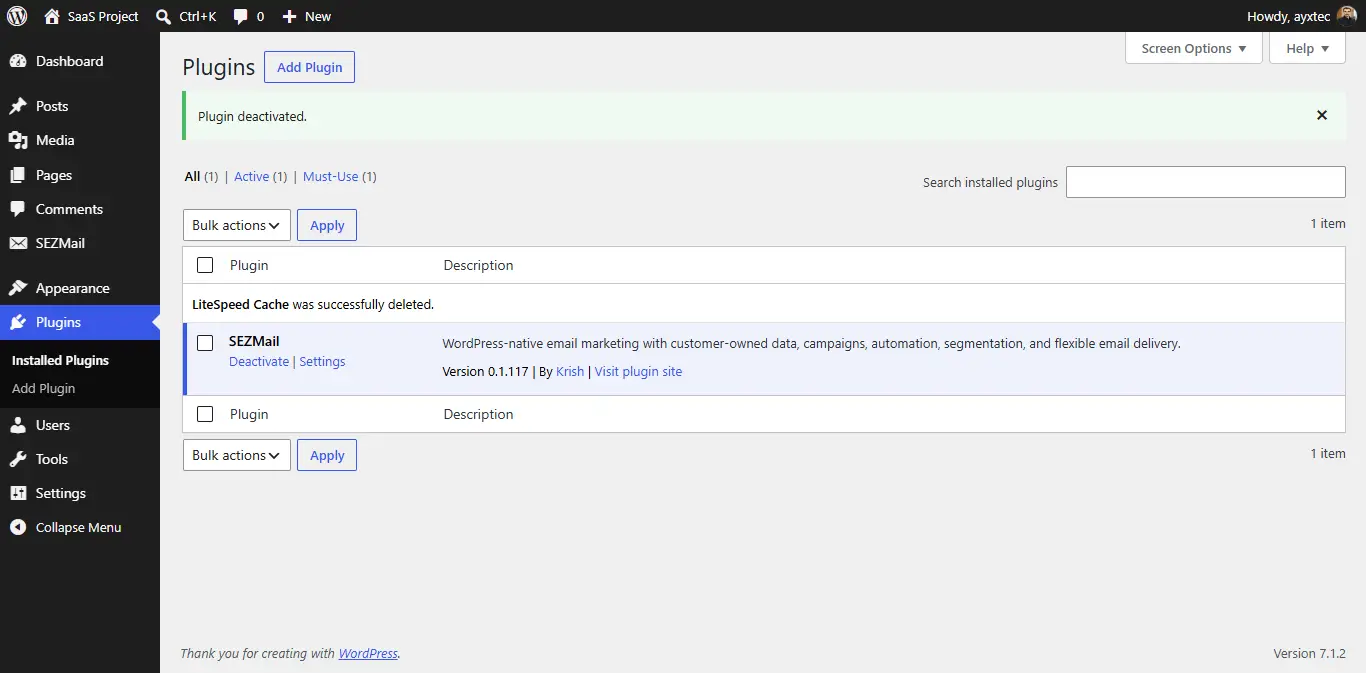
After activation
Use the SEZMail menu to access the Dashboard, Subscribers, Lists, Campaigns, Signup Forms, Landing Pages, Automation, A/B Testing, Custom Segments, Templates, Analytics & Reports, Plans & Features and Settings.
Initial setup
Open SEZMail → Settings after activation. Review the sender information and select the appropriate sending method for your website.
If SMTP is used, enter the required SMTP configuration details and use the available testing functionality to check the email configuration before sending campaigns.
Important: Email delivery depends on the sending method and email configuration selected in SEZMail Settings.
03. Dashboard
Dashboard overview
The SEZMail Dashboard provides a central overview of audience information, campaign activity, automations, recent activity and basic system health.
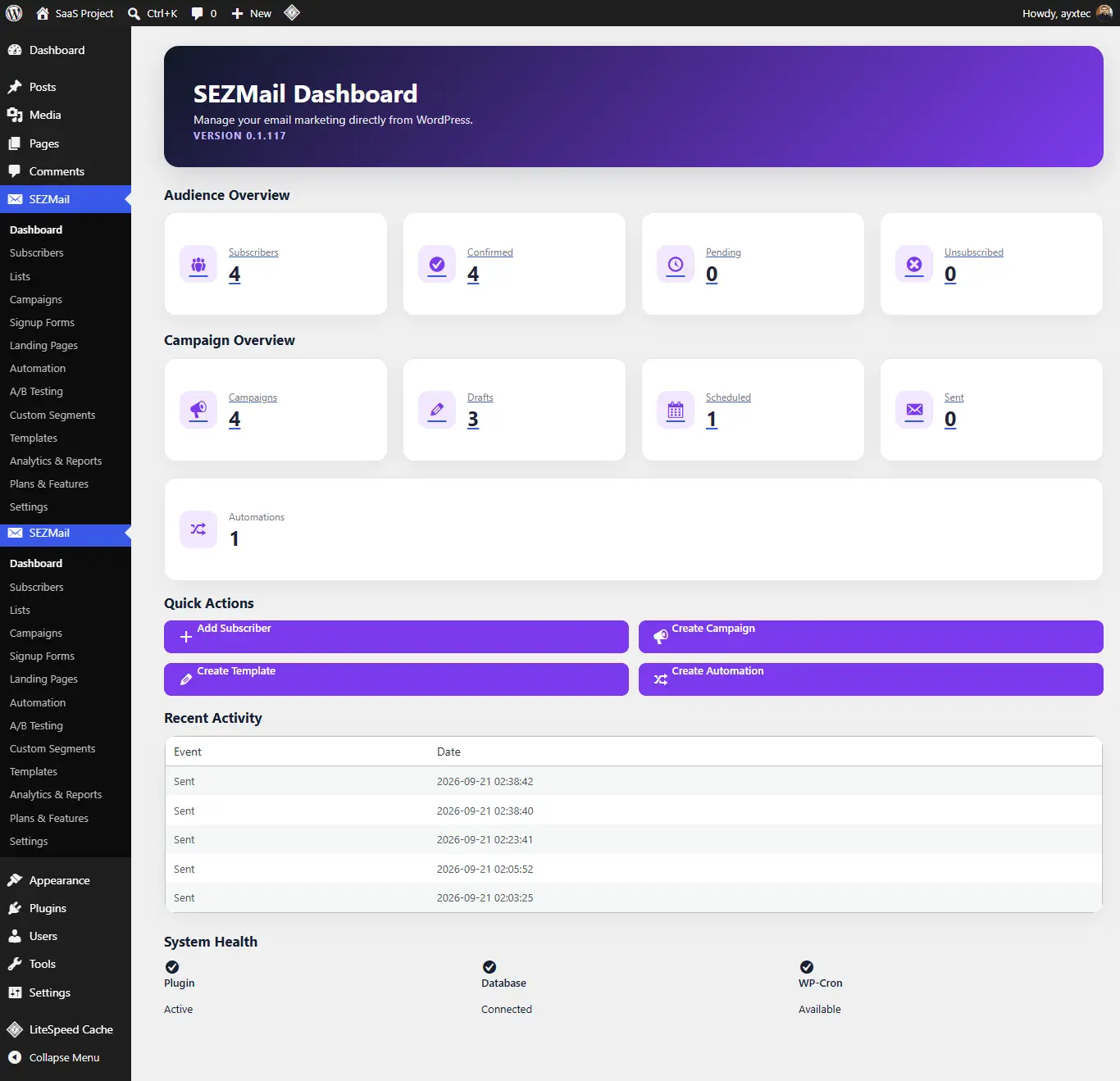
Audience Overview
- Subscribers — total subscriber records.
- Confirmed — confirmed subscribers.
- Pending — subscribers currently pending confirmation.
- Unsubscribed — subscribers who have unsubscribed.
Campaign Overview
- Campaigns — total campaigns.
- Drafts — campaigns saved as drafts.
- Scheduled — campaigns scheduled for delivery.
- Sent — campaigns recorded as sent.
Quick Actions
The Dashboard provides shortcuts for commonly used actions:
- Add Subscriber
- Create Campaign
- Create Template
- Create Automation
Recent Activity
Recent email events are displayed in the Dashboard activity area.
System Health
The Dashboard also displays basic status information for the plugin, database connection and WP-Cron availability.
04. Subscribers
Managing subscribers
The Subscribers screen is used to manage subscriber records stored directly in the WordPress database.
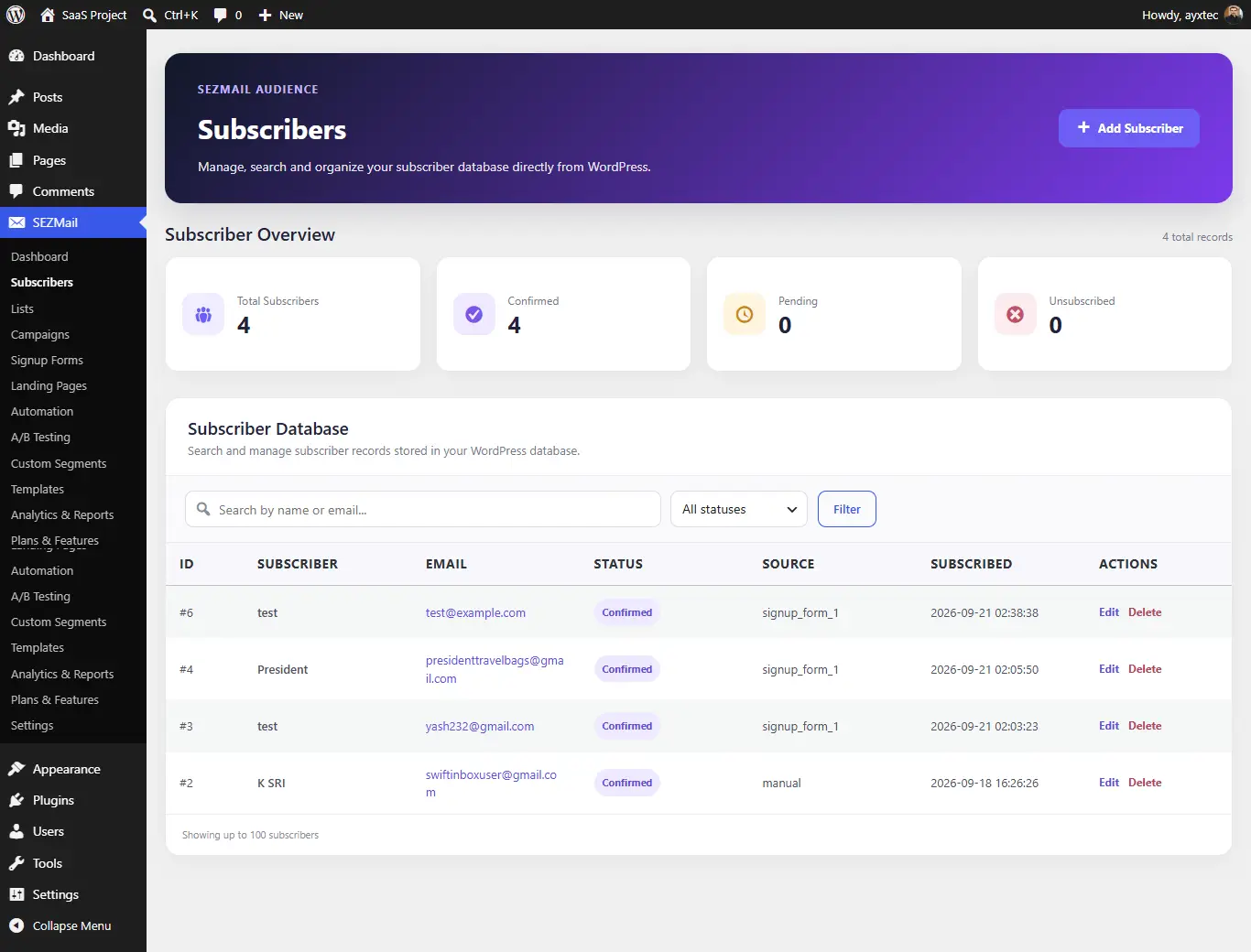
Subscriber information
Subscriber records can contain first name, last name, email address, source and subscription status.
Adding a subscriber manually
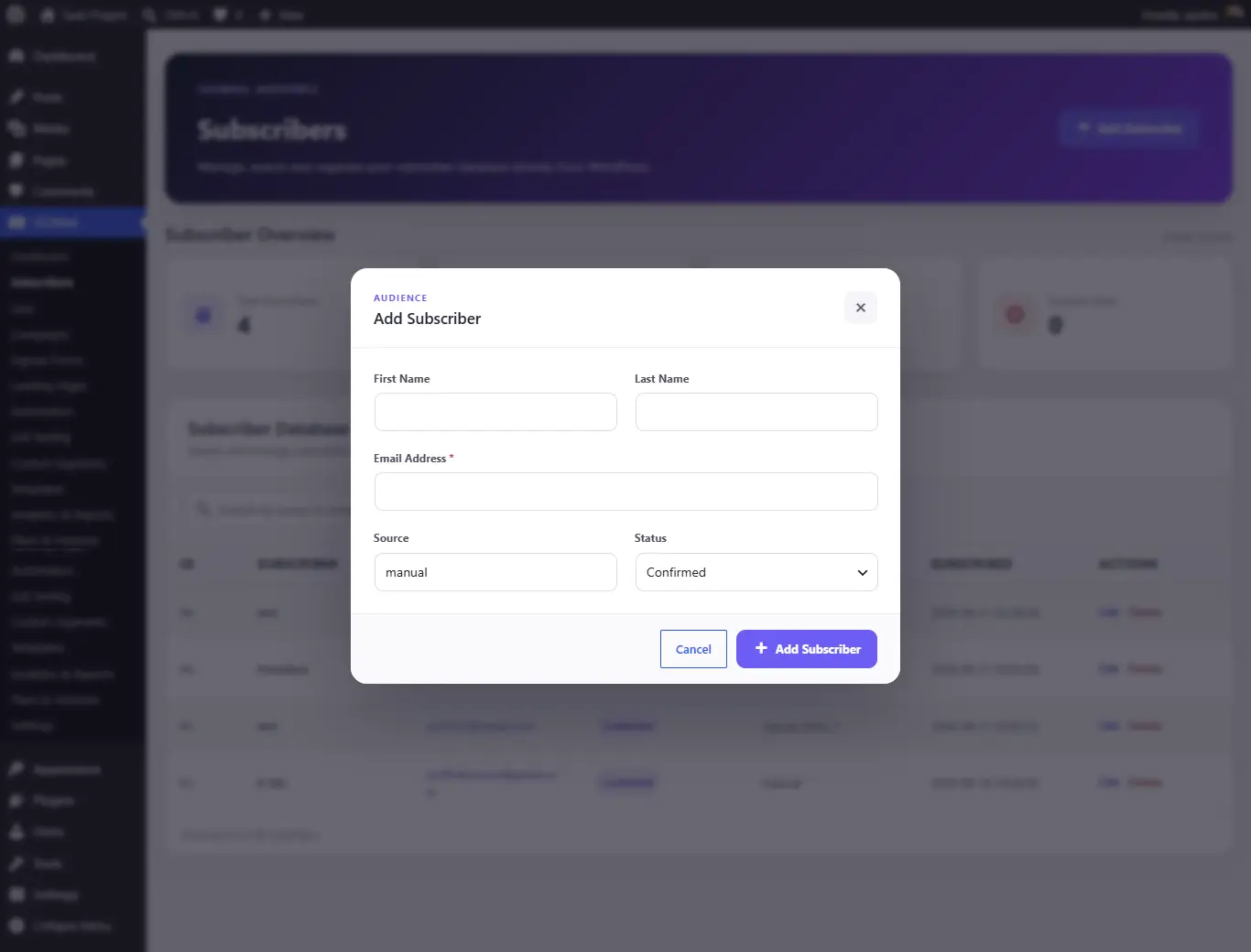
- Click Add Subscriber.
- Enter the subscriber’s first and last name if required.
- Enter the email address.
- Review the source and status.
- Save the subscriber.
The email address is the required subscriber field shown in the Add Subscriber interface.
05. Lists
Subscriber lists
Lists organize confirmed subscribers into communication groups that can be used by signup forms, campaigns and automation workflows.
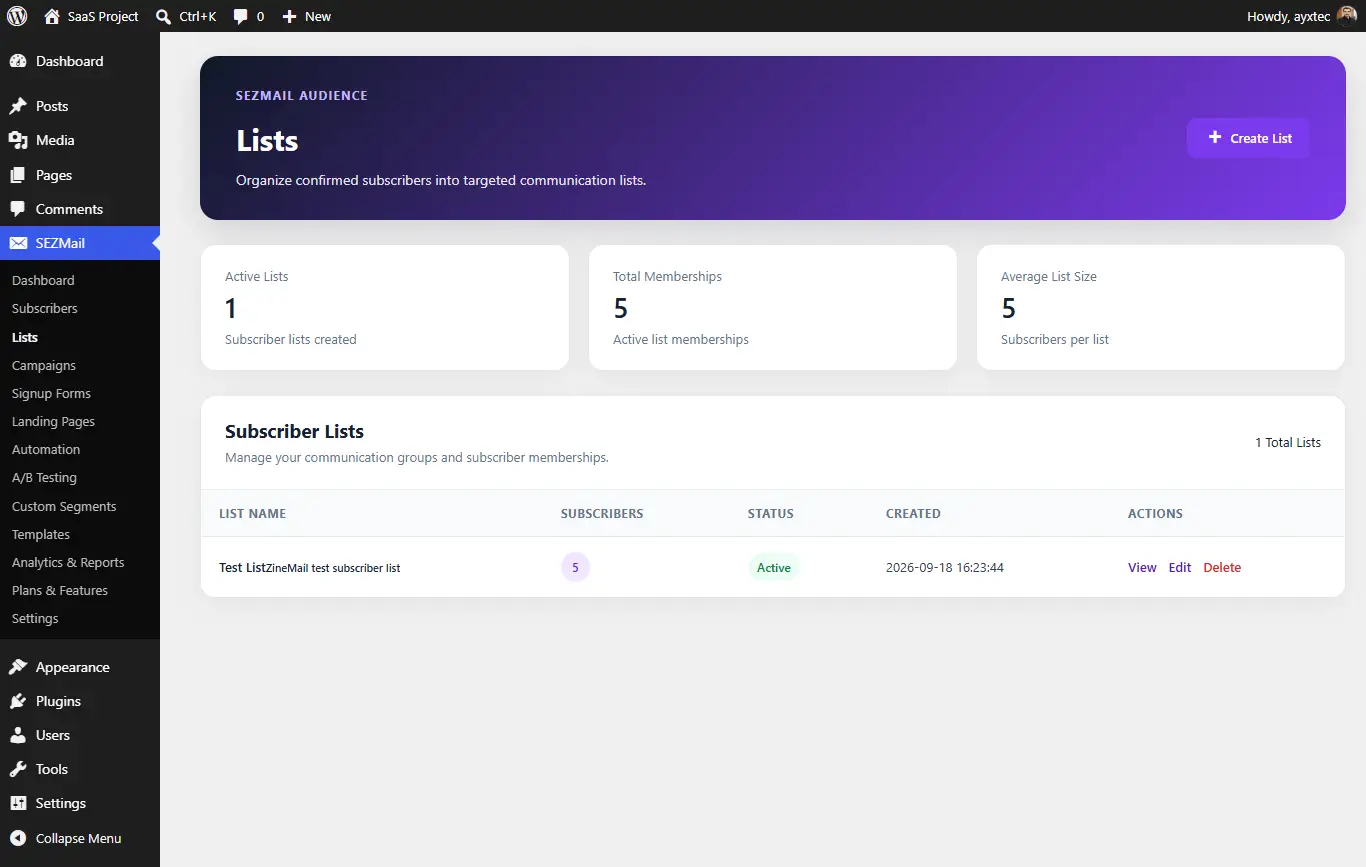
Creating a list
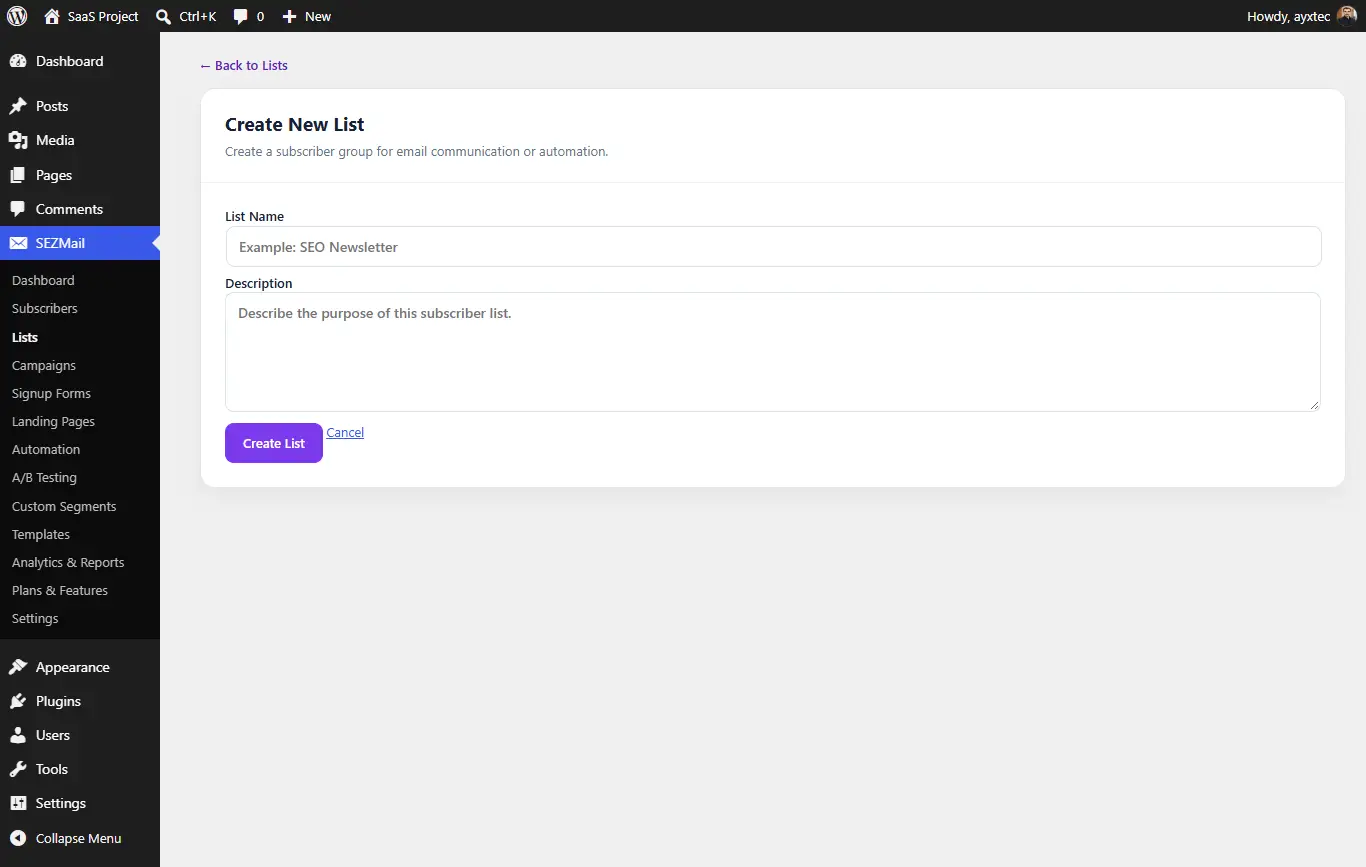
- Open SEZMail → Lists.
- Click Create List.
- Enter a list name.
- Add a description describing the purpose of the list.
- Click Create List.
Create lists according to the communication purpose of your audience so that forms and campaigns can target the appropriate subscriber group.
06. Signup Forms
Signup Forms overview
Signup Forms provide the subscriber entry point for your website. A form can be connected to a list and can optionally send a welcome email or start an automation.
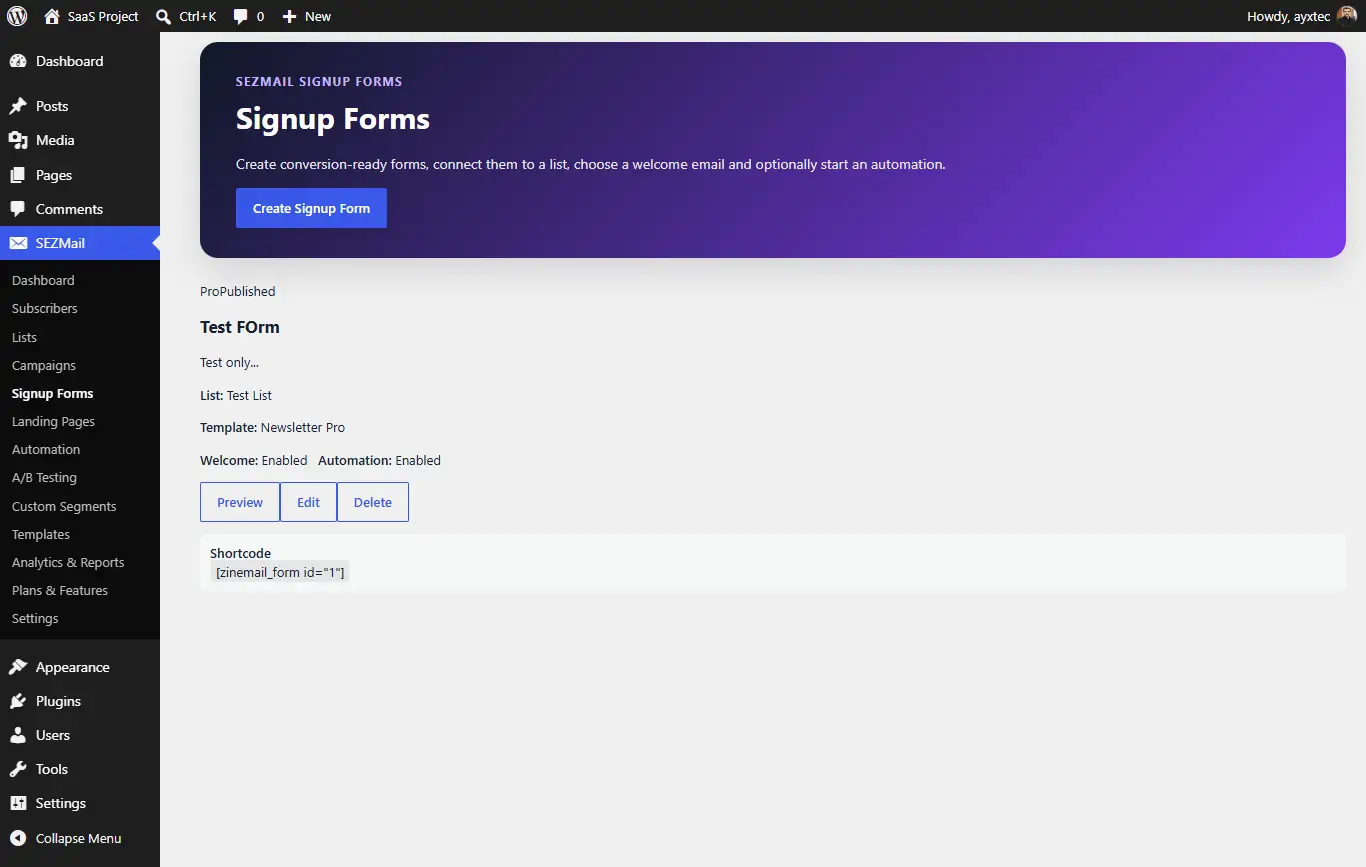
Creating a signup form
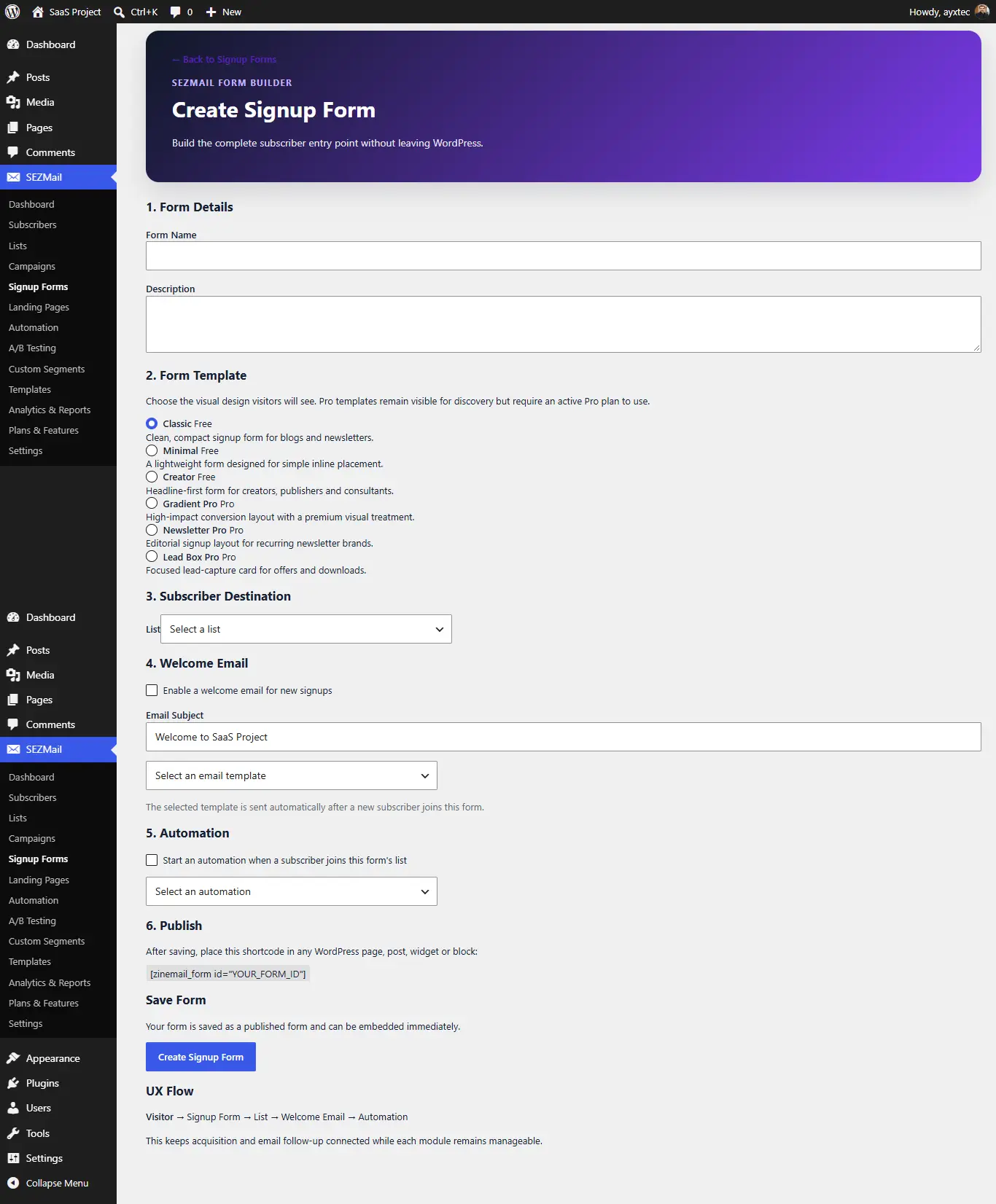
Form setup
- Enter the form name and description.
- Choose a form template.
- Select the subscriber destination list.
- Optionally enable a welcome email.
- Optionally start an automation when a subscriber joins.
- Save the form.
Embedding the form
After saving a form, SEZMail provides a shortcode that can be placed in a WordPress page, post, widget or block.
[zinemail_form id="YOUR_FORM_ID"]
The technical shortcode remains
zinemail_form for compatibility.
07. Campaigns
Campaign management
Campaigns are used to create, organize, schedule and manage broadcast email messages.
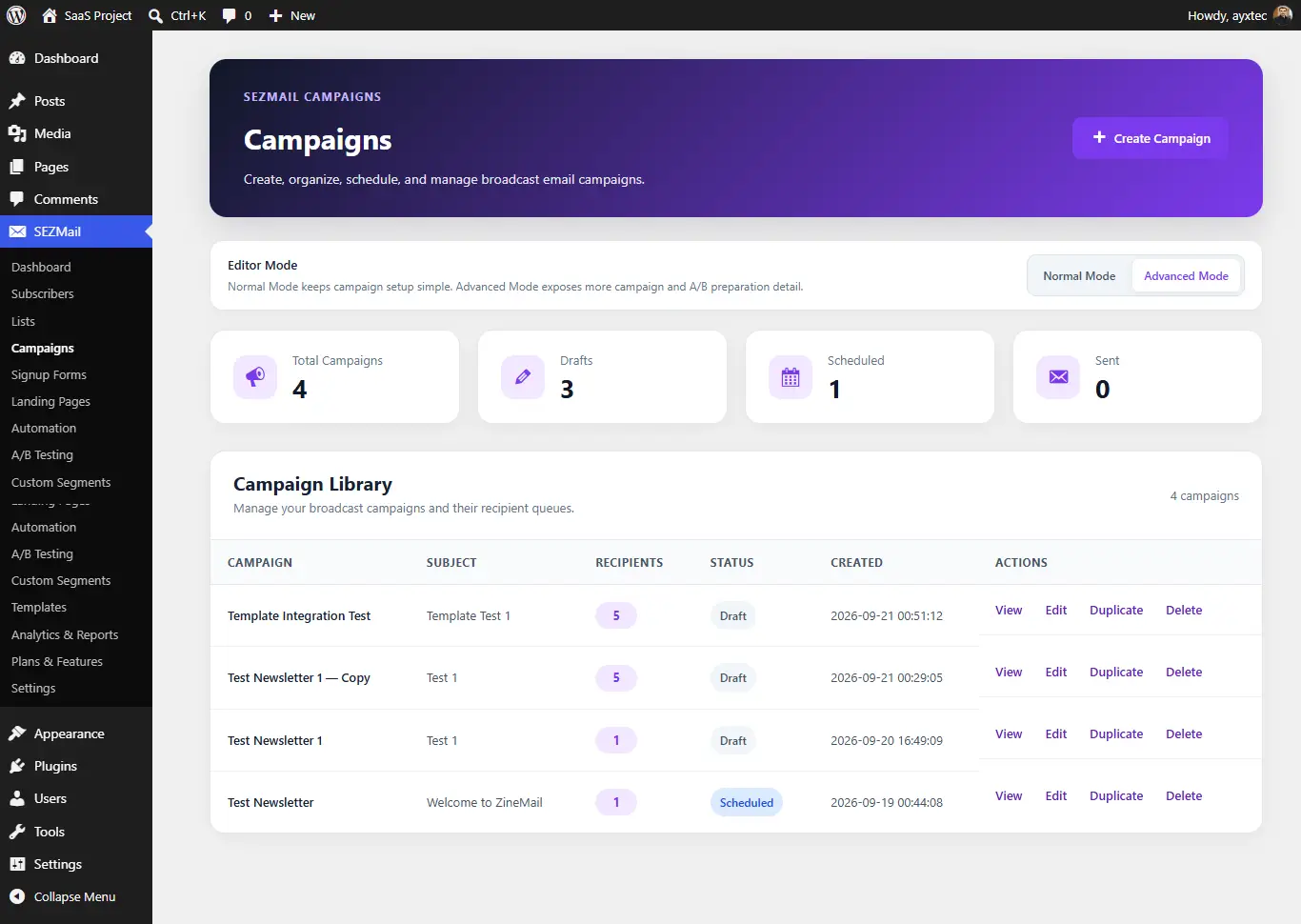
Creating a campaign
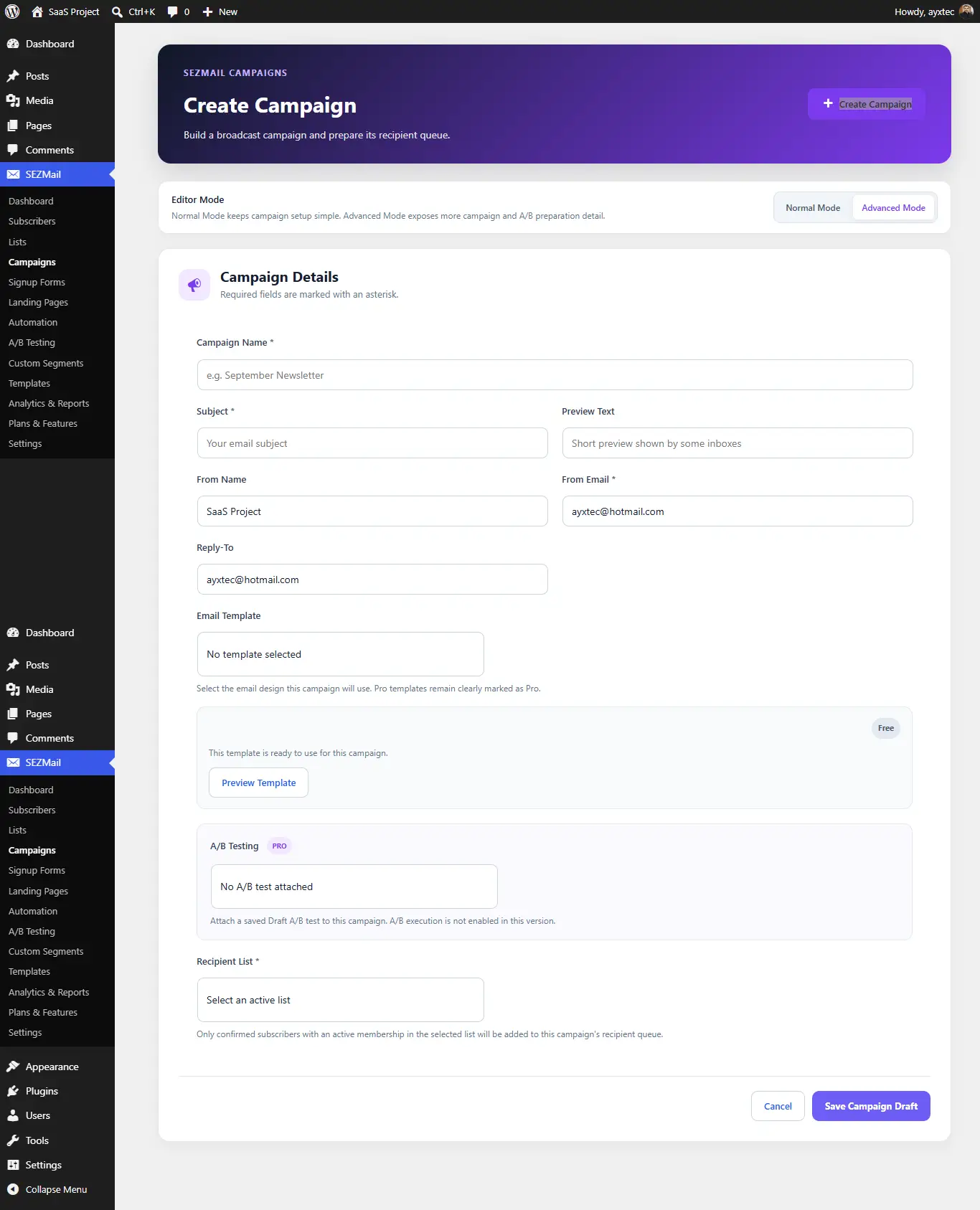
Campaign details
- Campaign name
- Email subject
- Preview text
- From name
- From email
- Reply-To address
- Email template
- Recipient list
Saving a campaign
A campaign can be saved as a draft before it is scheduled or sent. This allows campaign content and configuration to be reviewed before delivery.
08. Templates
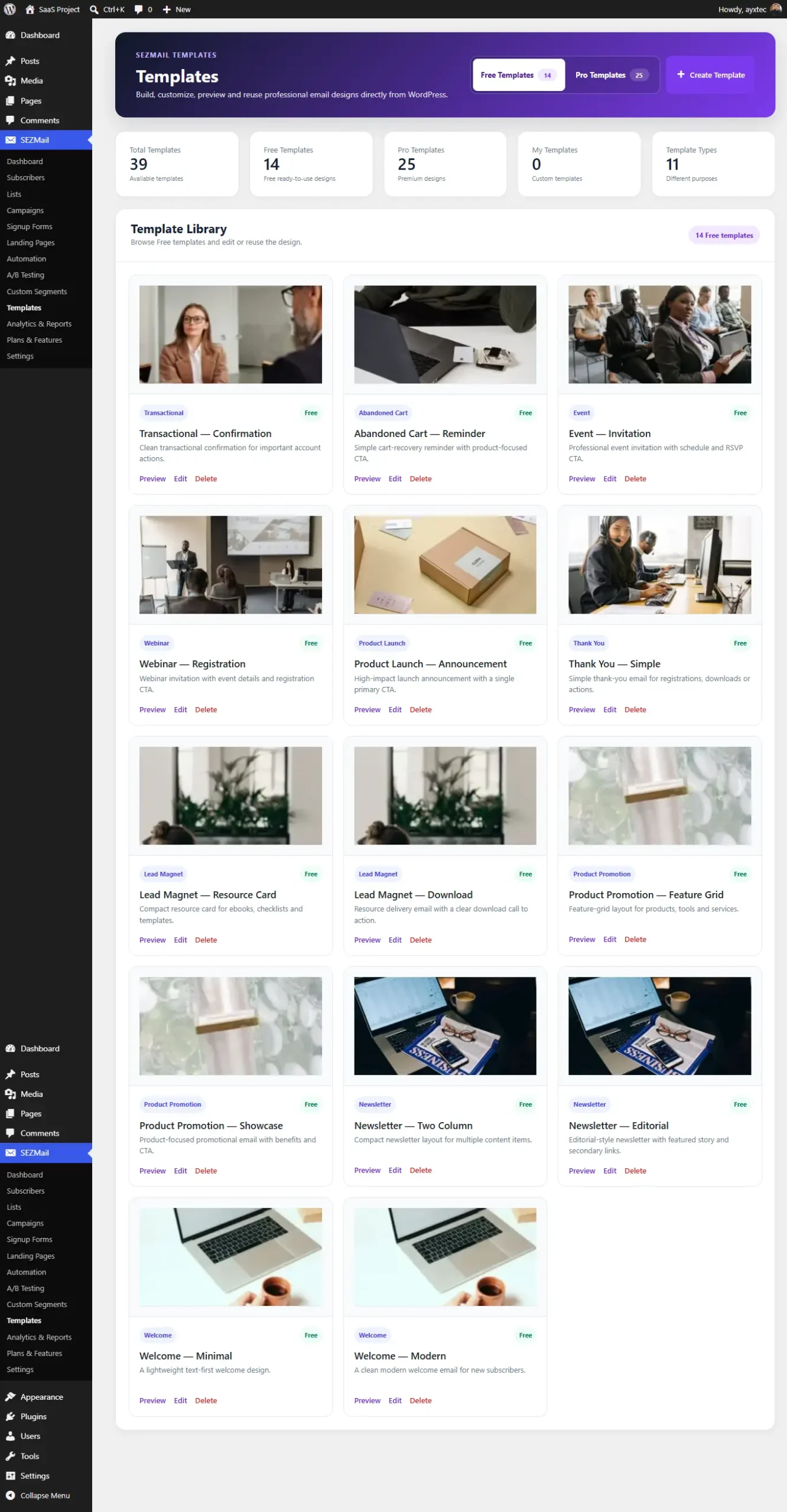
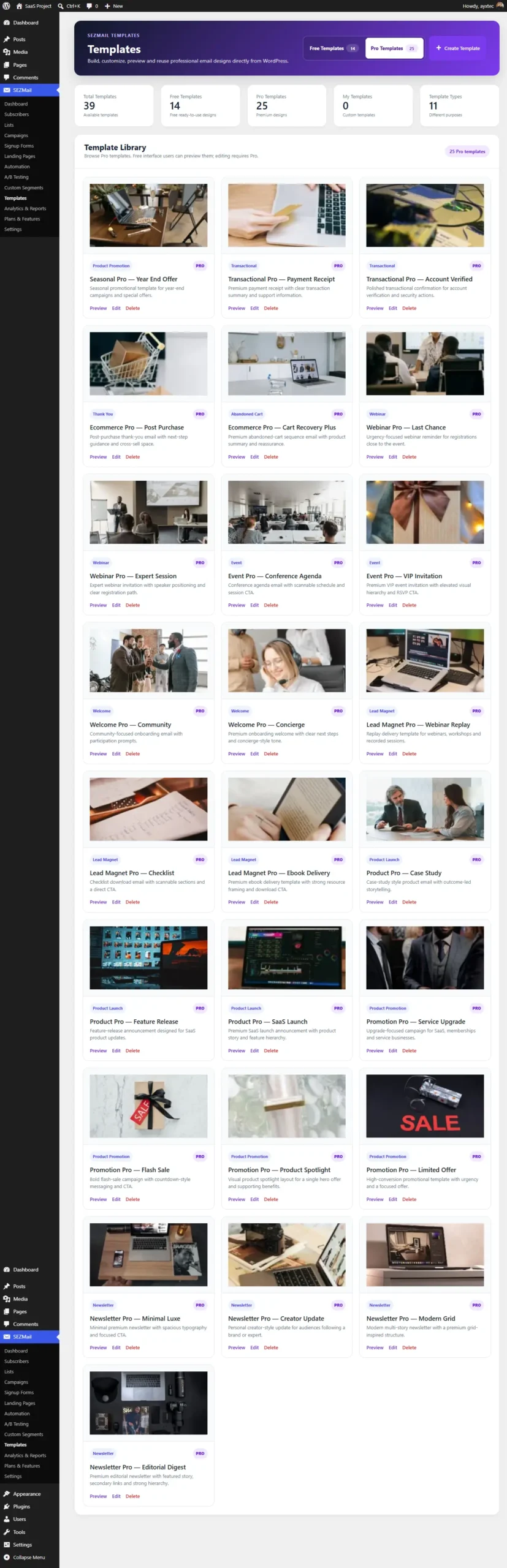
Template Library
SEZMail provides a template library for browsing, previewing and reusing email designs.
Editing a template
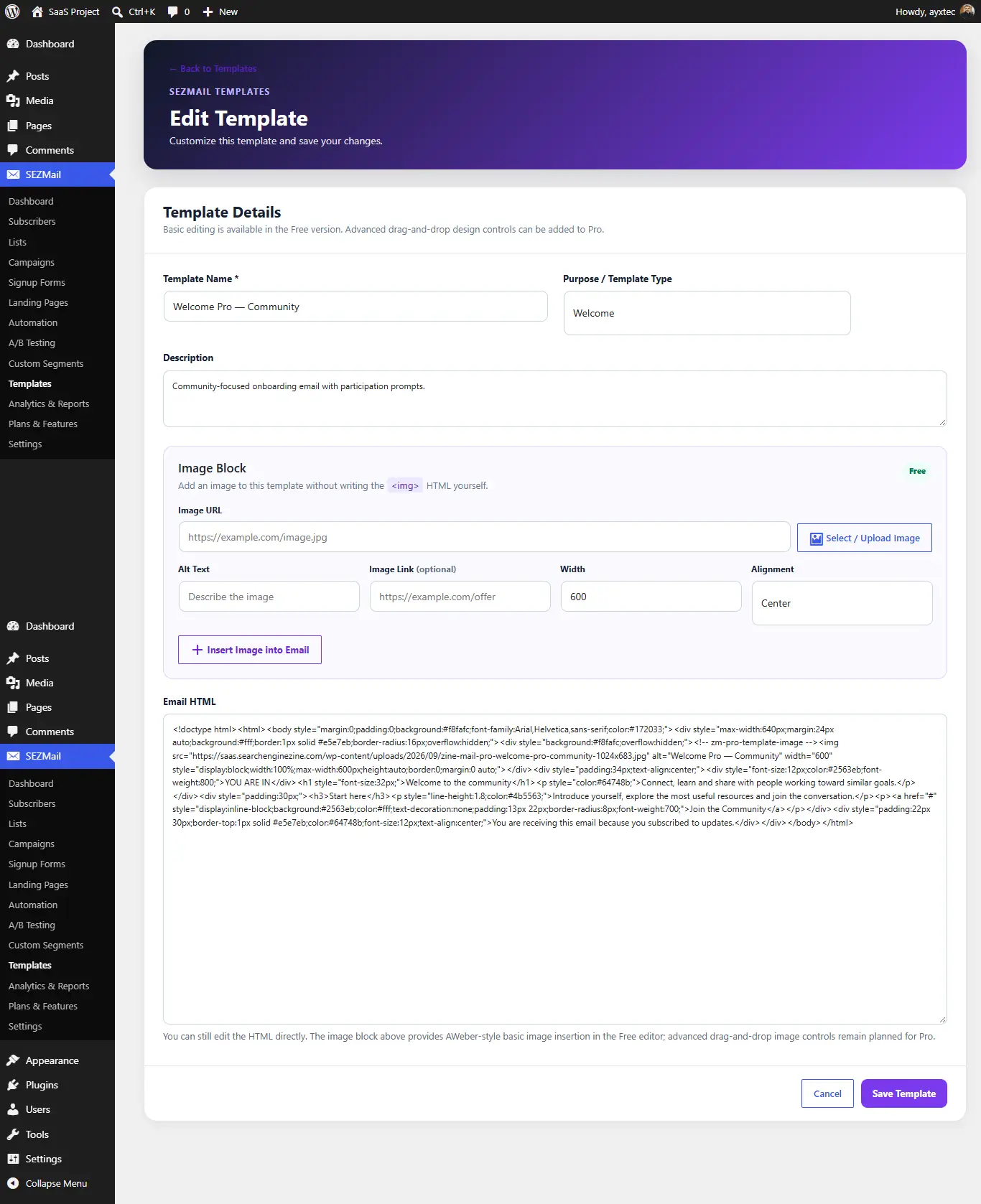
The editor allows the template name, purpose, description and email HTML to be edited. The Free editor also provides an image block for inserting an image URL, alt text, optional image link, width and alignment.
Advanced drag-and-drop design controls are identified as Pro functionality in the template interface.
09. Automation
Automation overview
Automation is used to build subscriber journeys and automated email sequences directly from WordPress.
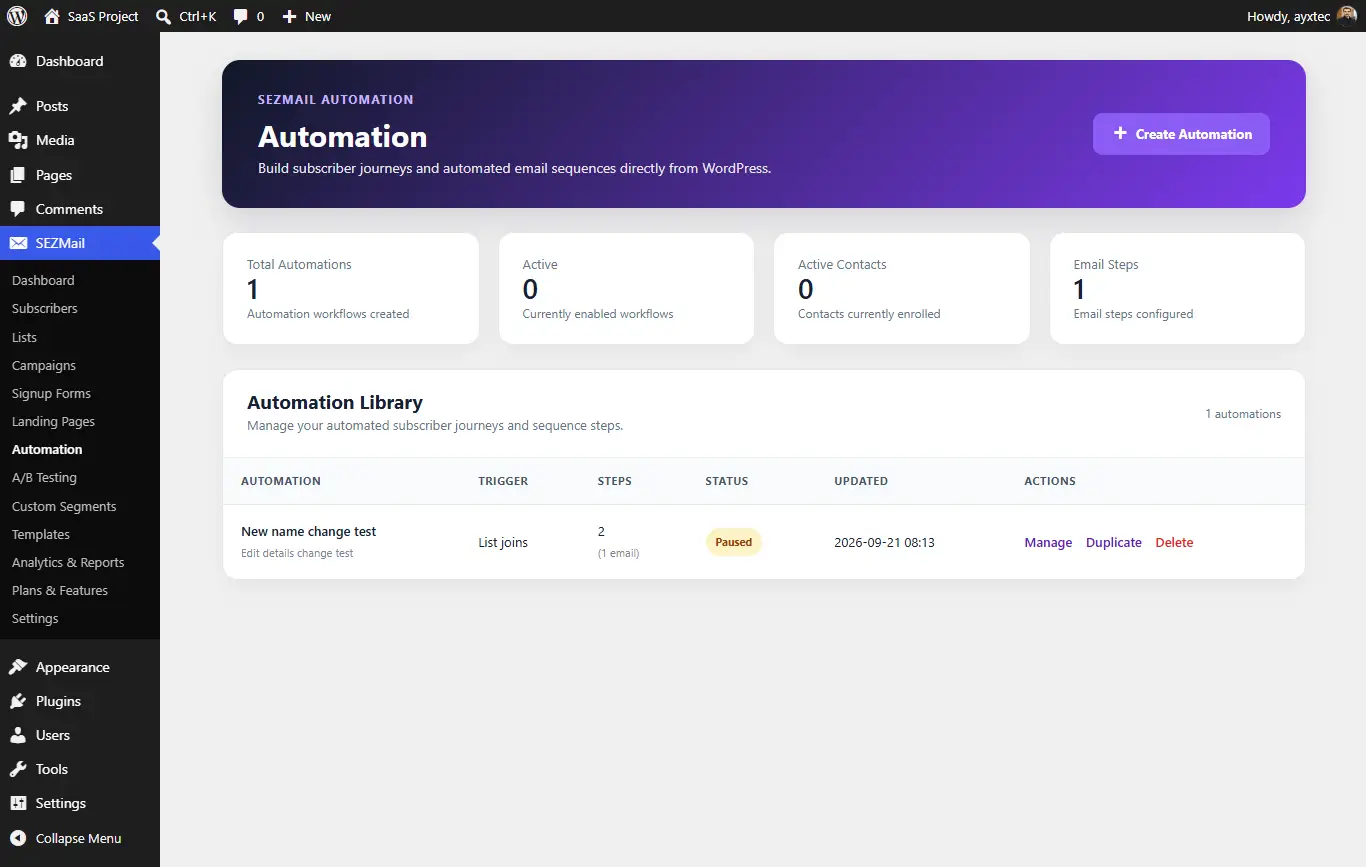
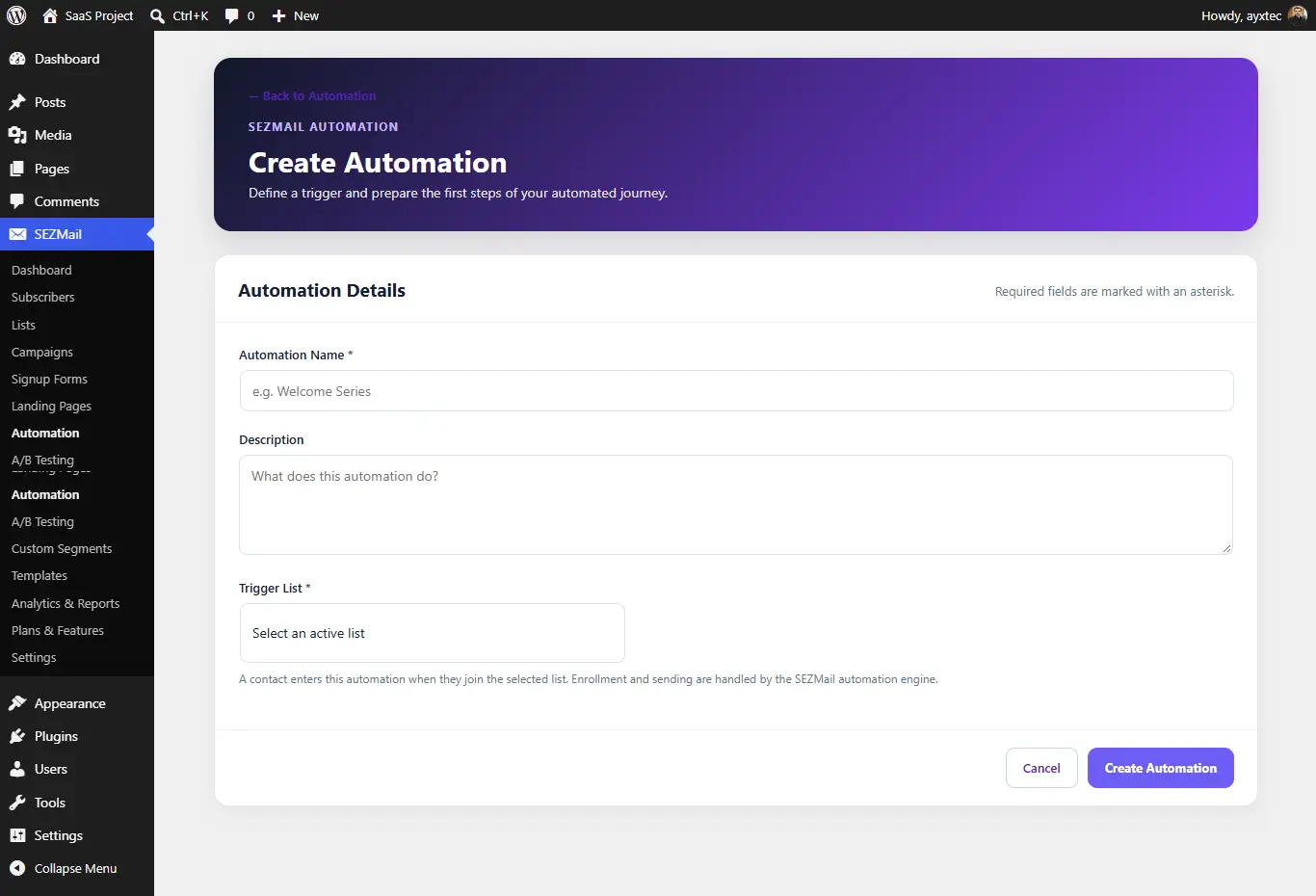
Creating an automation
- Enter an automation name.
- Add an optional description.
- Select the active trigger list.
- Create and manage the automation workflow.
The Create Automation interface identifies list joins as the trigger for subscriber enrollment.
10. A/B Testing
A/B Testing
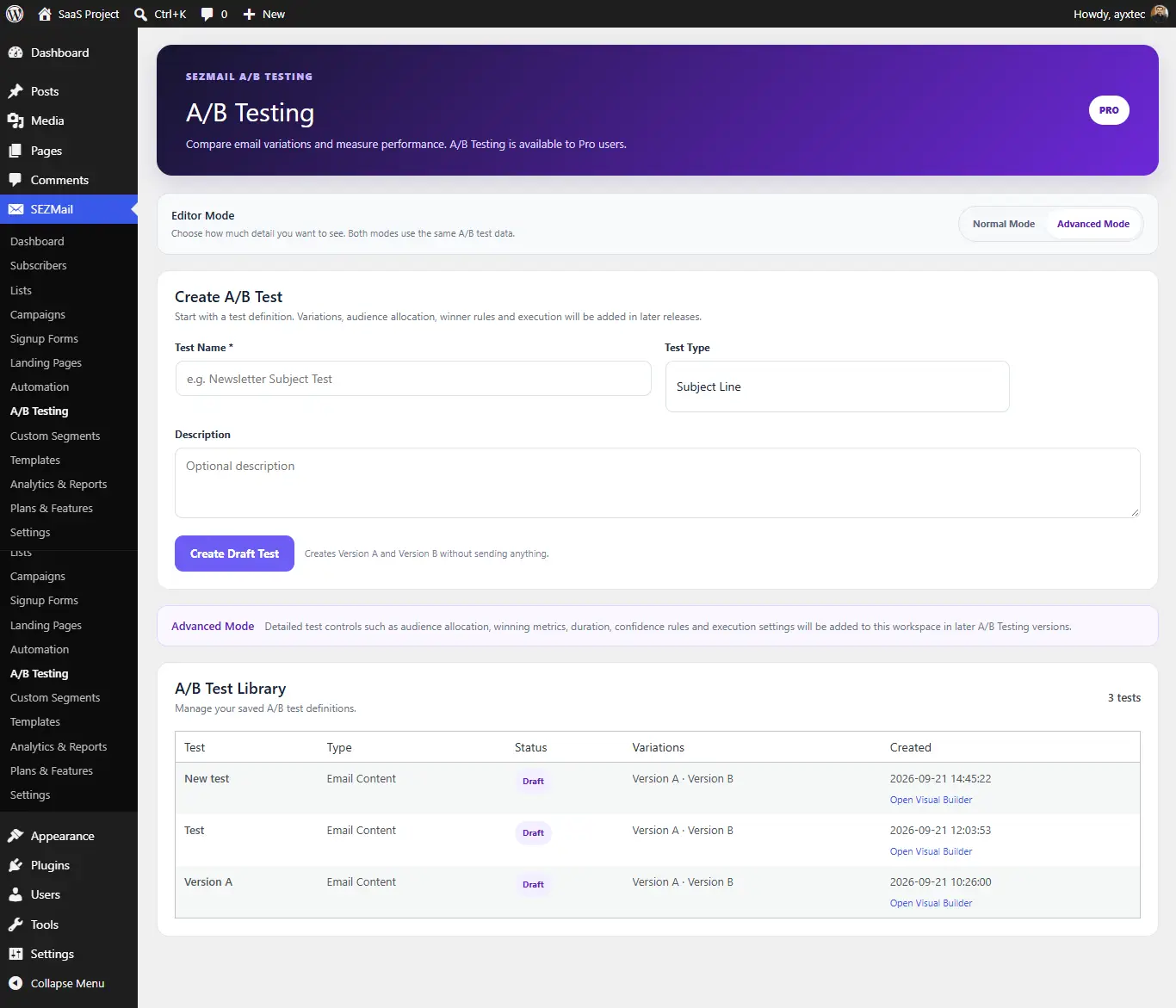
SEZMail includes an A/B Testing area for preparing and managing A/B test configurations.
11. Custom Segments
Custom audience segments
Custom Segments provide a way to organize subscribers into targeted audience groups using segment criteria.
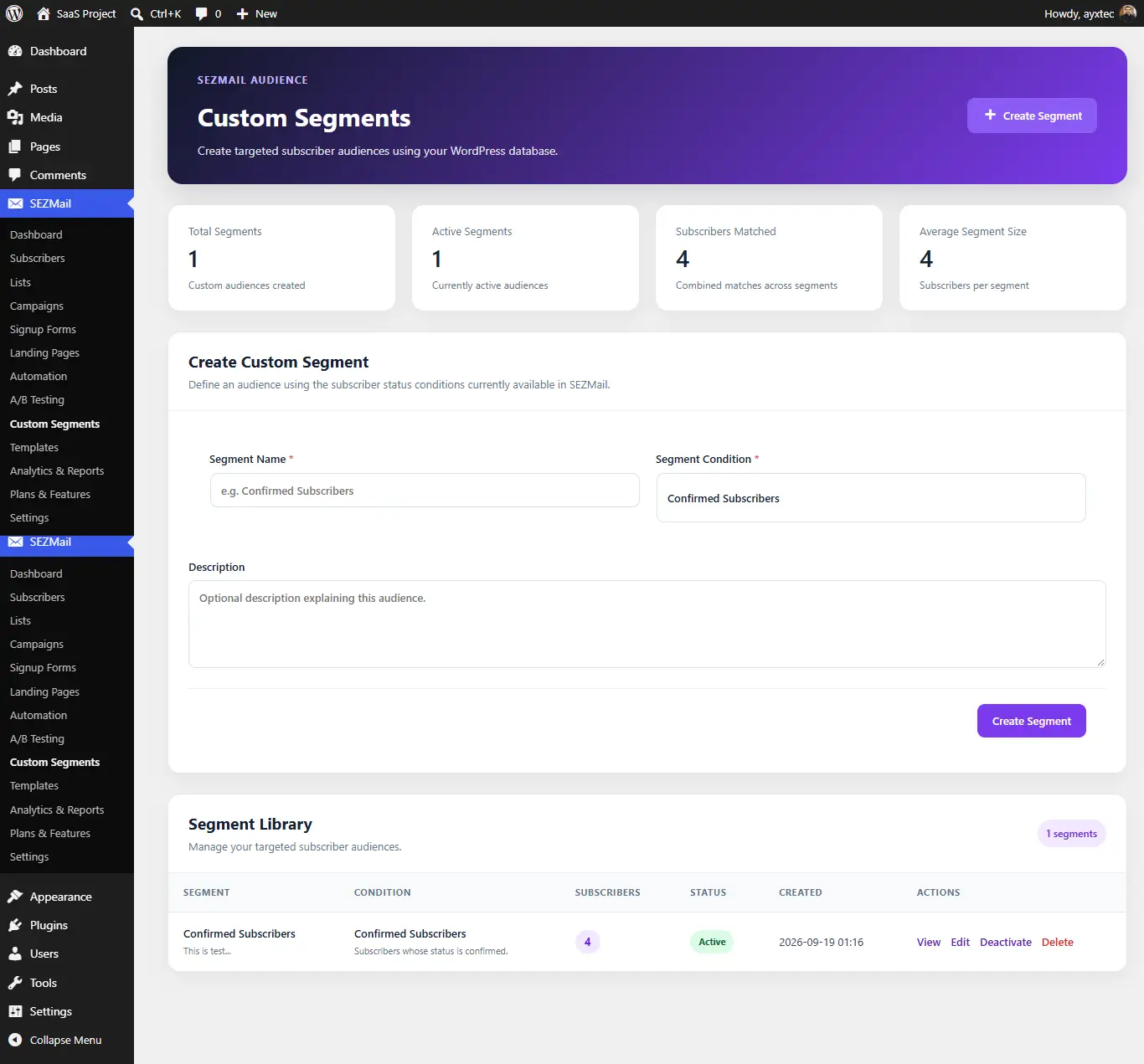
Use segments when you need a more targeted audience grouping than a general subscriber list.
12. Landing Pages
Landing Pages
SEZMail provides landing page functionality for creating dedicated subscriber acquisition experiences.
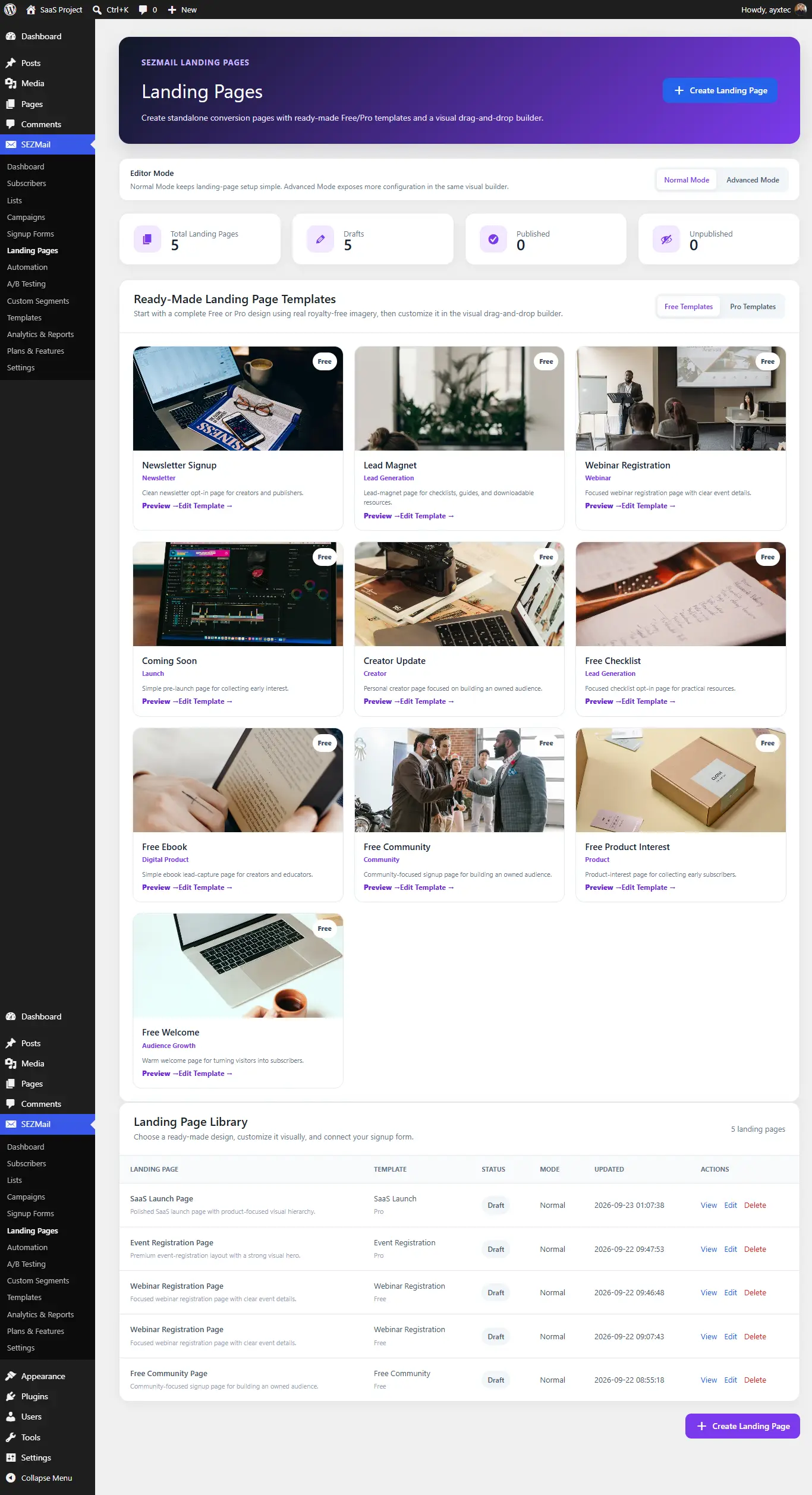
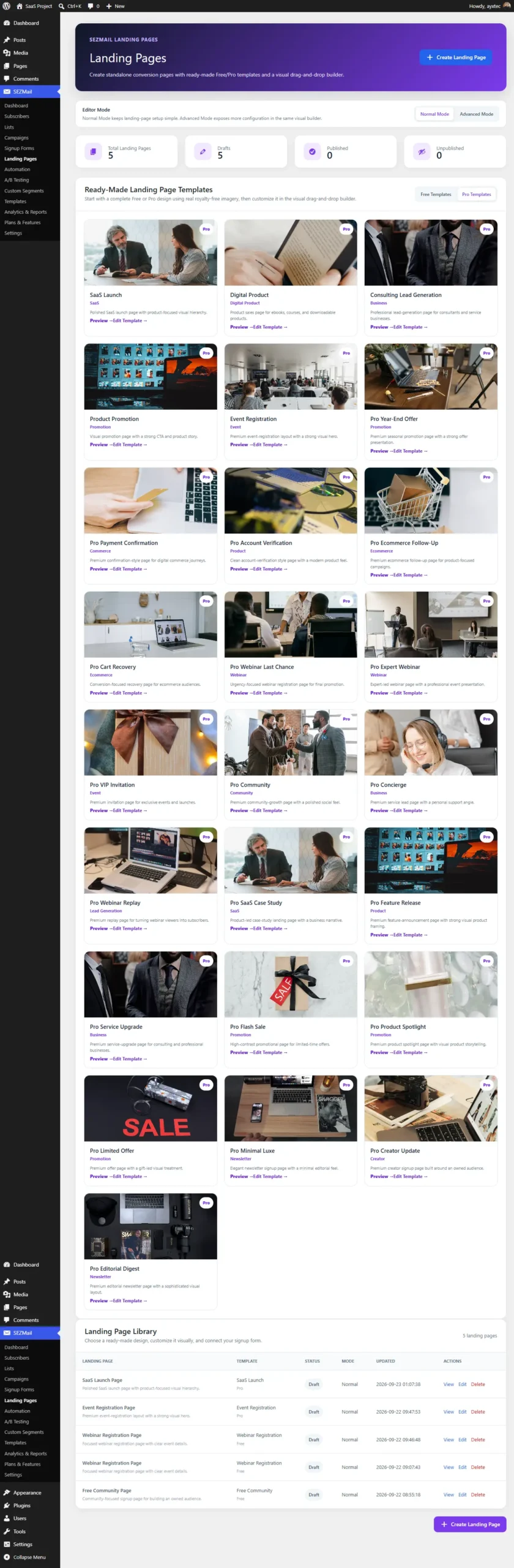
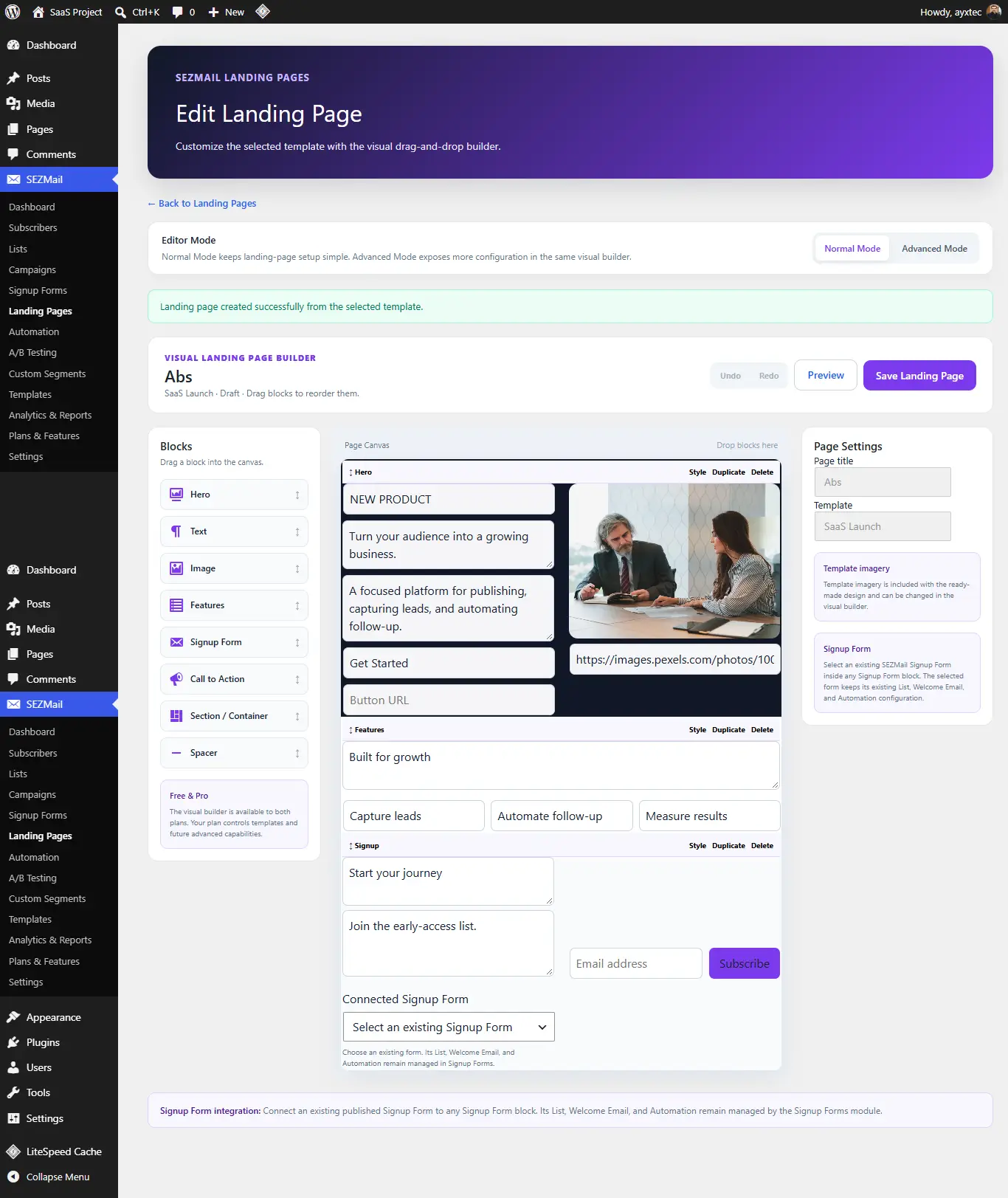
Landing page workflow
- Create a landing page.
- Choose the available design or layout.
- Configure the page content and controls.
- Connect the appropriate signup form where applicable.
- Preview and publish the page.
13. Analytics & Reports
Analytics and reporting
The Analytics & Reports area provides reporting information for email activity and campaign performance.
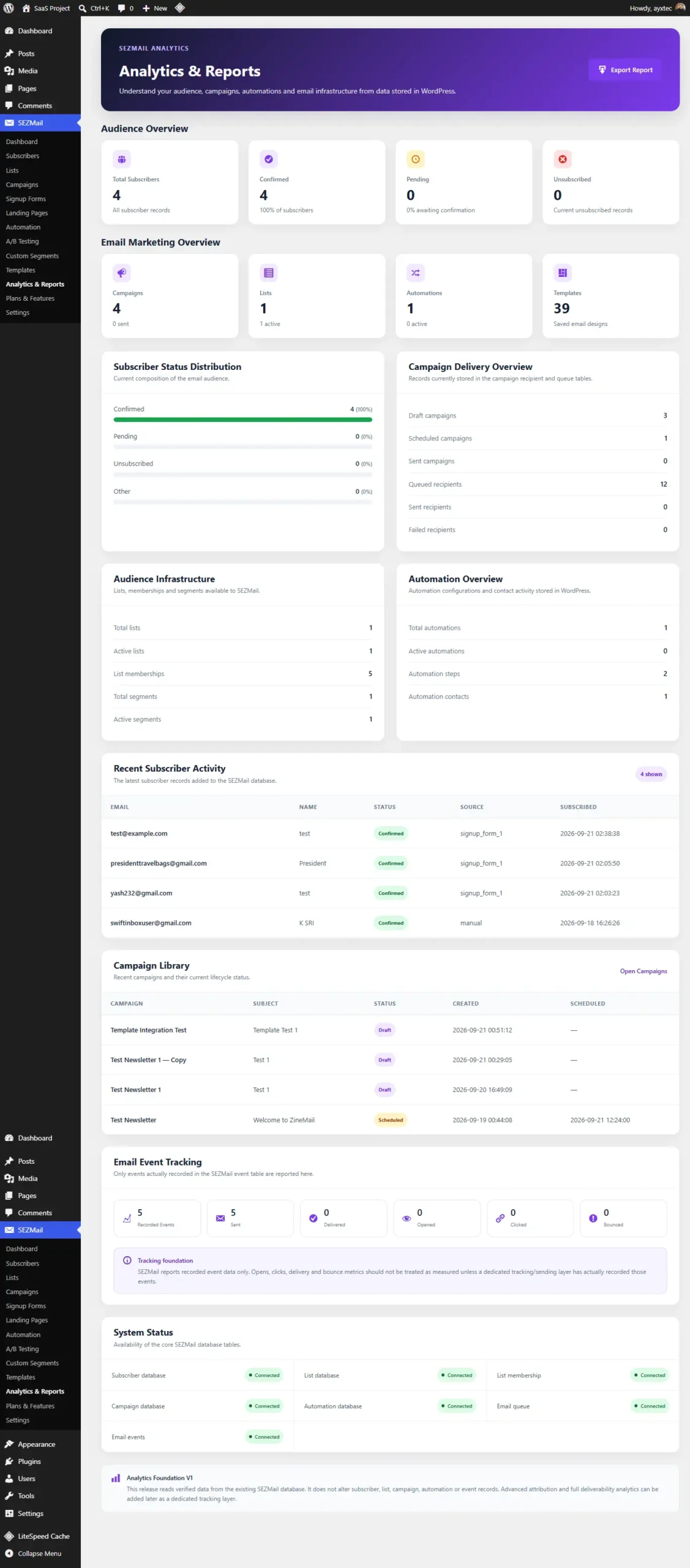
Use this area to review the reporting information generated by SEZMail email activity.
14. Plans & Features
Plans & Features
Plans & Features provides the interface for viewing available SEZMail plan levels and the functionality associated with them.
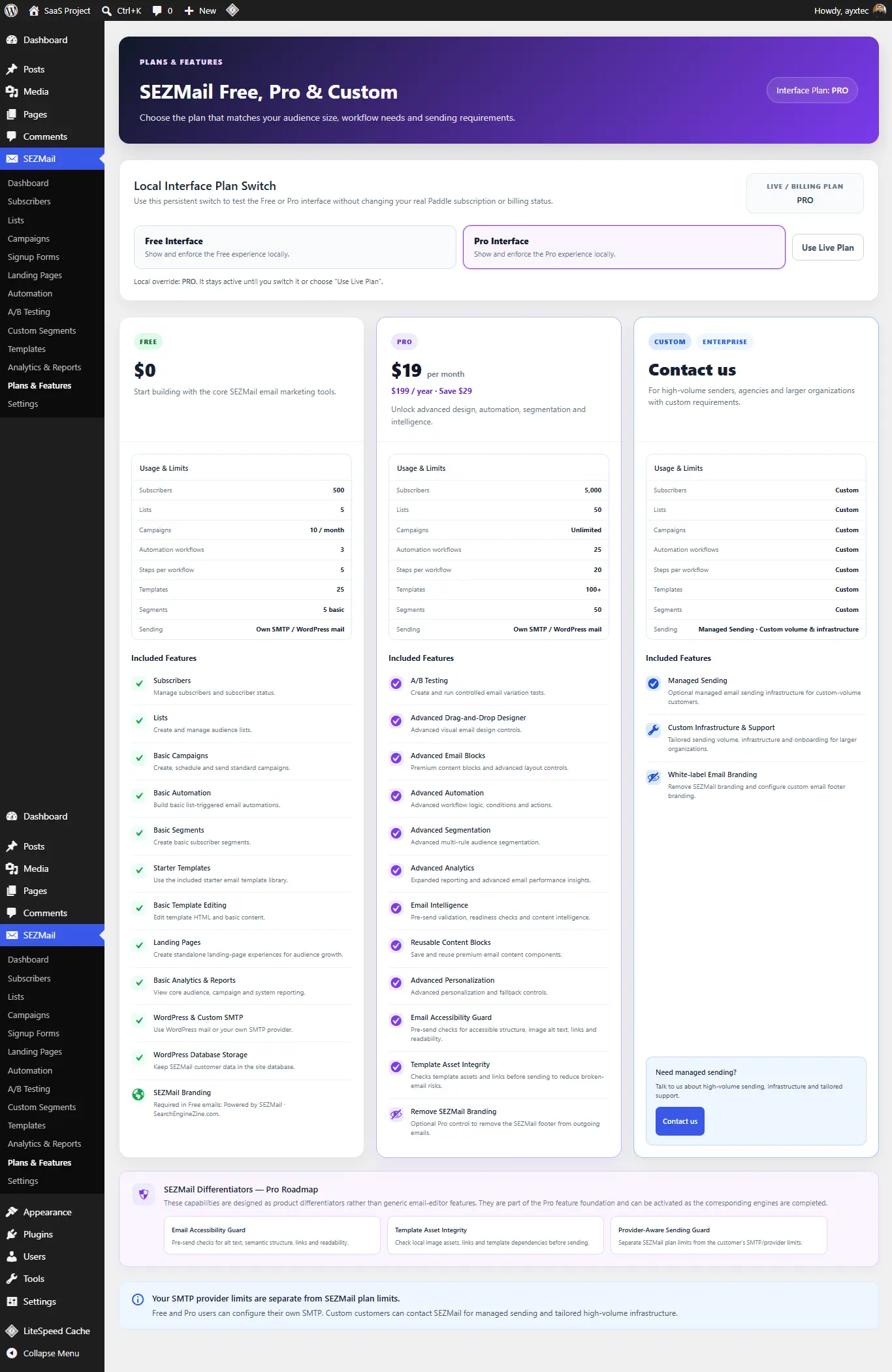
Plan names, feature availability and pricing may change over time. Always refer to the current Plans & Features screen for the installed release.
15. Settings
SEZMail Settings
Settings contains the configuration required for sending email and managing SEZMail behavior.
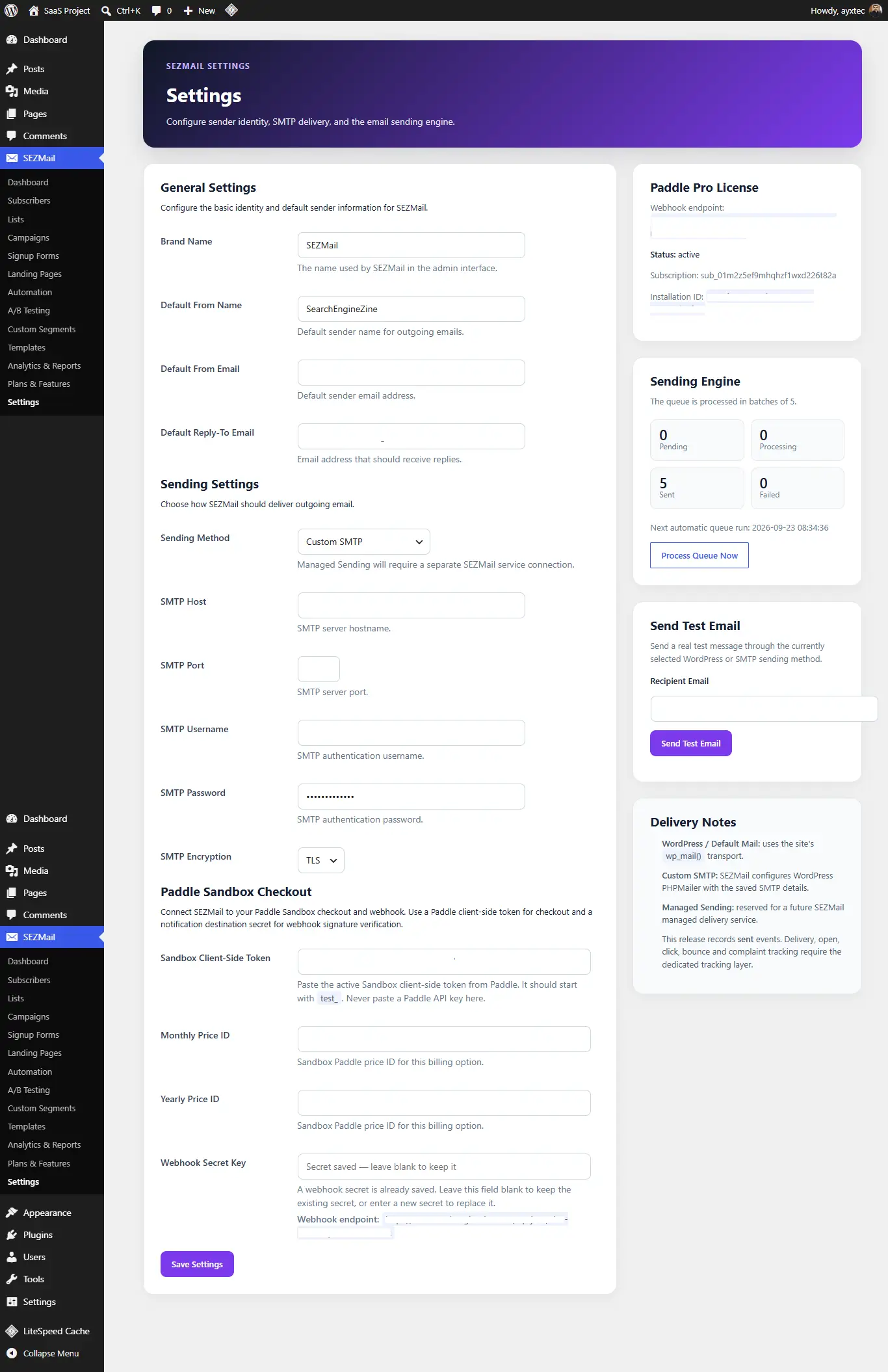
Sending configuration
The Settings interface includes sender information, sending method and SMTP-related configuration.
Testing
SEZMail also provides testing controls so that email configuration can be checked before relying on it for campaign delivery.
SMTP credentials and other email configuration values should be protected as sensitive administrator information.
16. Privacy & Data
Where SEZMail stores data
SEZMail is designed around a WordPress-native data model. Subscriber and email marketing information is maintained within the WordPress installation.
Data areas
- Subscriber records
- Subscriber list memberships
- Campaign information
- Automation information
- Signup form information
- Template information
- Landing page information
- Email event information
- SEZMail settings
Site owner responsibilities
Website owners are responsible for determining the appropriate consent, privacy, retention and data protection requirements that apply to their audience and jurisdiction.
Configure subscriber collection and email practices according to the privacy and consent requirements applicable to your website and audience.
17. Troubleshooting
Email is not being delivered
- Open SEZMail → Settings.
- Check the selected sending method.
- Review sender information.
- If SMTP is configured, verify the SMTP credentials.
- Use the available test email functionality.
- Check your hosting/server email restrictions if delivery still fails.
Subscribers are not appearing
- Check the selected signup form.
- Confirm that the form is connected to the intended list.
- Check subscriber status.
- Review the Subscribers screen.
Automation is not enrolling contacts
- Check the automation trigger list.
- Confirm that the subscriber joins the selected list.
- Check the automation status.
- Review the automation configuration.
A campaign cannot be sent
First save the campaign as a draft and review the campaign details, recipient list, template and email configuration. Then verify the sending configuration in Settings.
18. FAQ
Is SEZMail a WordPress plugin?
Yes. SEZMail is designed to operate directly inside WordPress.
Where is subscriber data stored?
SEZMail is designed around customer-owned data stored within the WordPress installation.
Can I add subscribers manually?
Yes. The Subscribers screen includes an Add Subscriber interface for manually creating subscriber records.
Can I create subscriber lists?
Yes. Lists can be created from the SEZMail Lists area and used to organize subscriber memberships.
Can I create signup forms?
Yes. Signup Forms can be connected to lists and can optionally use a welcome email and automation.
Can campaigns be saved as drafts?
Yes. Campaigns can be saved as drafts before scheduling or delivery.
Does SEZMail include email templates?
Yes. The Templates area includes Free and Pro template collections as shown in the current interface.
Does SEZMail include automation?
Yes. SEZMail includes an Automation area for subscriber journeys and automated email sequences.
Is A/B testing fully automated in version 0.1.117?
The interface includes A/B Testing configuration and campaign attachment functionality, but the campaign interface states that A/B execution is not enabled in this version.
Can I use SMTP?
SMTP configuration is available in SEZMail Settings.
Where can I find the current plan information?
Open SEZMail → Plans & Features to view the plan information available in your installed release.