

Enterprise image compression software should do more than reduce file sizes. The right solution needs to support large media libraries, automate future optimization, preserve visual quality, integrate with existing infrastructure, and contribute to efficient image delivery at scale.
For SEO teams, compression percentage alone is therefore a poor selection metric. A tool that aggressively reduces file size may still fail to address oversized source images, inefficient delivery, legacy media libraries, or inconsistent optimization workflows.
The better approach is to choose the image optimization architecture first and evaluate software second.
Enterprise image compression software is a scalable image optimization system designed to reduce file weight and automate processing across large media libraries and publishing workflows. For SEO teams, suitable solutions may also support image sizing, modern formats, delivery optimization, integrations, and quality control.
What Makes Image Compression Software Enterprise-Ready?
An ordinary image compressor can process individual files. Enterprise image optimization systems, however, need to support workflows involving large and growing media libraries.
That usually requires several capabilities.
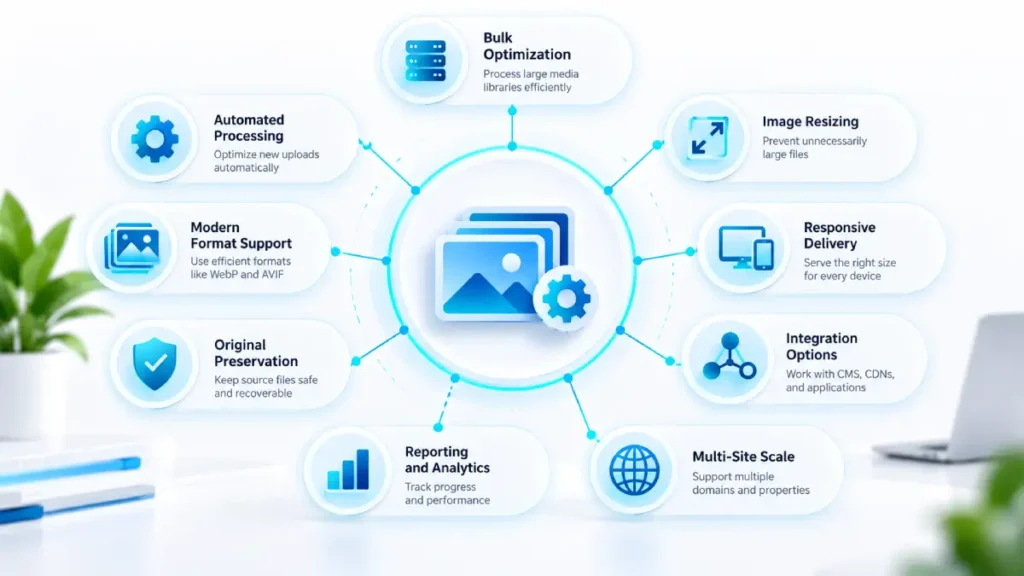
| Enterprise requirement | Why it matters |
|---|---|
| Bulk optimization | Existing media libraries may contain large numbers of unoptimized images |
| Automated processing | Helps prevent new uploads from recreating existing inefficiencies |
| Modern format support | Can improve compression or delivery efficiency where appropriate |
| Image resizing | Prevents unnecessarily large source files from being delivered |
| Responsive delivery | Helps match image resources to different display sizes |
| Integration options | Allows the system to work with existing CMS platforms, CDNs, or applications |
| Original preservation | Protects against irreversible quality loss |
| Reporting | Helps teams verify optimization coverage and results |
| Multi-site support | Important for organizations managing multiple domains or properties |
The key distinction is that enterprise readiness is not defined by how much a tool can compress one JPEG.
It is defined by whether the system can maintain an efficient image optimization process across the organization’s publishing environment.
A website with a few hundred images presents a different operational challenge from an organization managing hundreds of thousands of historical assets across multiple properties.
The larger organization may need to process legacy media, optimize future uploads automatically, preserve original files, and apply consistent policies across different publishing environments.
That makes workflow and infrastructure as important as compression technology.
Compression Alone Is Not a Complete SEO Image Strategy
Image compression reduces the number of bytes required to transfer an image. It can contribute to more efficient page loading, but compression is only one part of image optimization.
Google’s image guidance recommends optimizing images for users and search engines while balancing visual quality and performance. Google’s image guidance
A complete image optimization strategy may involve several different processes.
| Process | Problem it addresses |
|---|---|
| Compression | Reduces file weight |
| Resizing | Prevents unnecessarily large dimensions |
| Format conversion | Uses more efficient formats where appropriate |
| Responsive images | Delivers suitable image sizes for different devices |
| Lazy loading | Delays non-critical image loading |
| CDN or image delivery | Optimizes how assets are transformed and delivered |
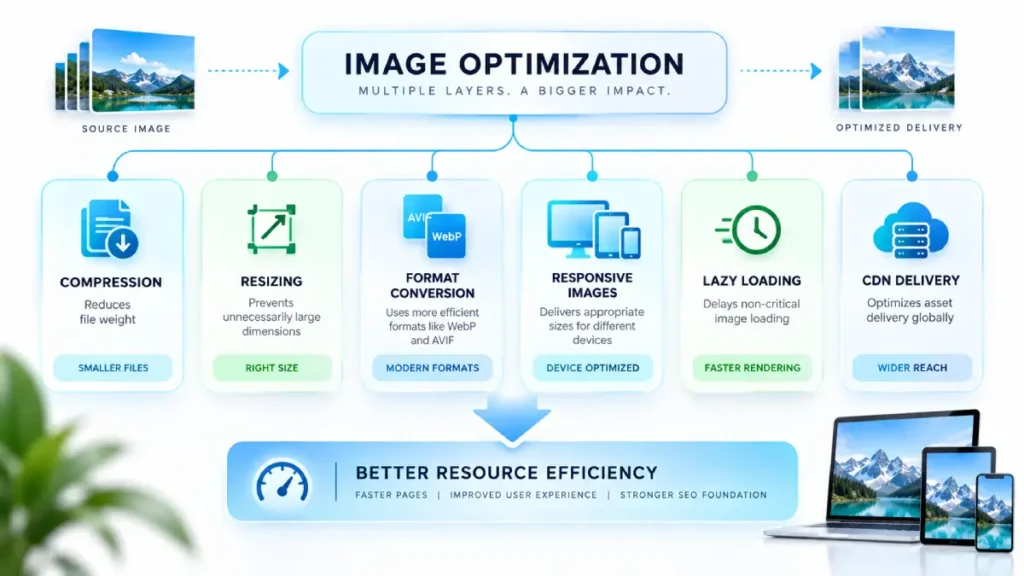
These processes overlap, but they are not interchangeable.
A heavily compressed 3,000-pixel-wide image can still waste bandwidth if the page displays it at only 400 pixels wide. Similarly, converting an image to WebP or AVIF does not automatically ensure that the correct image dimensions are delivered to every device.
Responsive image implementation can reduce unnecessary data transfer by allowing browsers to select resources appropriate to their display requirements. Responsive image implementation guidance
How image compression relates to SEO
Image compression should not be treated as a direct ranking mechanism.
The more accurate relationship is:
Image optimization → lower transfer weight → potentially more efficient resource loading → improved page performance conditions
The SEO value comes through the broader performance and usability effects, including the technical conditions associated with Core Web Vitals, rather than compression itself acting as an independent ranking factor.
This distinction matters when evaluating vendor claims. Enterprise teams should measure actual improvements in image weight, page performance, and delivery efficiency instead of assuming that installing compression software automatically improves organic rankings.
Choose the Right Image Optimization Architecture
The most important enterprise decision is often not which compression algorithm is best.
It is where image optimization should happen.
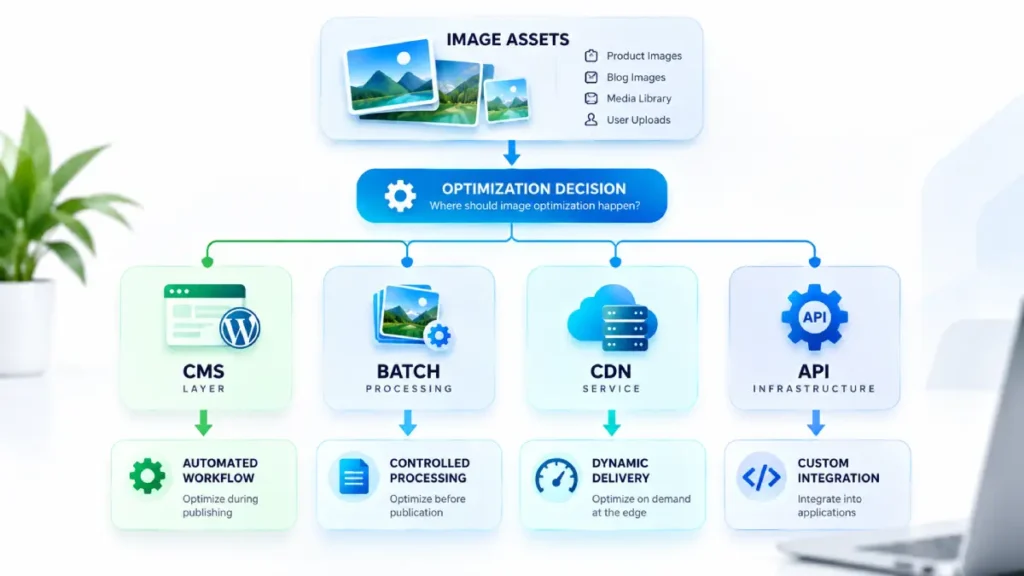
SearchEngineZine groups enterprise image optimization into four practical deployment models based on where the optimization process occurs.
| Architecture | Best suited to | Main advantage | Main limitation |
|---|---|---|---|
| CMS-level | CMS-centered websites | Simple publishing workflow | Platform dependency |
| Batch/pre-upload | Controlled asset workflows | Maximum editorial control | Requires separate processing |
| CDN/image service | Dynamic, high-scale websites | On-demand transformation and delivery | Infrastructure dependency |
| API/infrastructure | Custom enterprise applications | High flexibility and integration | Greater technical complexity |
CMS-Level Optimization
CMS-level optimization happens inside the publishing platform, often through a native integration or extension.
This approach may work well when:
- most images enter through one CMS;
- editors need automatic optimization;
- the organization wants minimal workflow changes;
- the media library is centrally managed.
The primary advantage is operational simplicity. Editors upload an image, and the optimization process can run automatically as part of the publishing workflow.
However, enterprise teams should examine whether the solution can handle historical media, large libraries, multiple sites, and high-volume processing without creating workflow or performance problems.
A CMS-based system may also become less suitable when the organization operates several different publishing platforms.
Batch or Pre-Upload Optimization
Batch processing optimizes images before they enter the production environment.
This approach can be useful when an organization has a controlled media workflow, such as:
- a centralized creative team;
- a digital asset management process;
- scheduled bulk migrations;
- large historical image libraries.
The primary advantage is control.
Teams can review optimization settings before publication and maintain a clear separation between original assets and production-ready versions.
The limitation is operational friction. If editors or external contributors can upload images directly to production systems, a pre-upload workflow alone may not prevent unoptimized files from entering the website.
For that reason, batch optimization can be most effective when combined with automated safeguards elsewhere in the publishing environment.
CDN or Image-Service Optimization
CDN and image-service architectures optimize images closer to the delivery layer.
Instead of permanently storing multiple manually created versions of every asset, the system may dynamically transform images based on factors such as:
- requested dimensions;
- device characteristics;
- output format;
- compression settings.
This approach can be particularly useful for enterprise websites with:
- high traffic volumes;
- global audiences;
- large numbers of image requests;
- multiple applications using shared media assets.
The main advantage is flexibility at scale. Image variants can be generated and delivered dynamically rather than requiring editors to manually prepare every possible version.
However, teams need to understand the cost, caching, integration, security, and vendor-dependency implications before adopting this model.
API or Infrastructure-Level Optimization
API and infrastructure-level optimization is usually most relevant to custom applications or complex enterprise environments.
The image optimization process can be integrated directly into:
- application workflows;
- upload pipelines;
- cloud storage systems;
- media-processing infrastructure.
This model provides the greatest flexibility because the organization can define how and when transformations occur.
It can also support customized workflows across multiple websites, applications, and asset repositories.
The trade-off is complexity. SEO teams may need to work with developers, infrastructure teams, and other technical stakeholders rather than simply installing a CMS plugin.
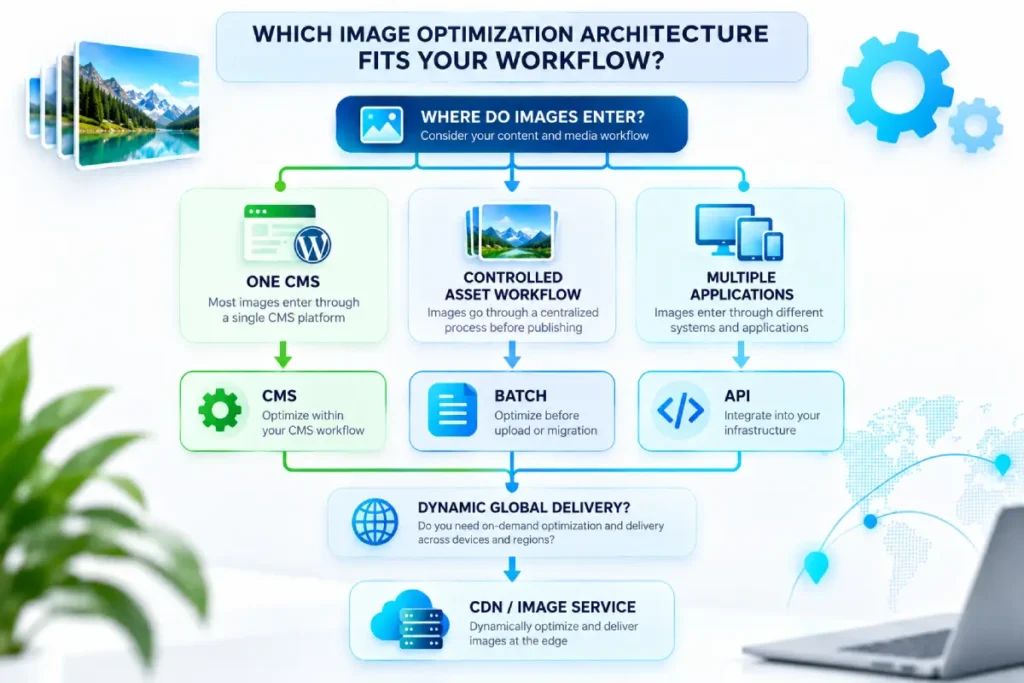
The architecture decision
A useful selection principle is:
Choose the layer where your organization can most reliably control image optimization.
If nearly every asset enters through one CMS, CMS-level automation may be sufficient.
If the organization has a controlled production workflow, batch optimization may provide greater control.
If images are dynamically delivered across regions and devices, an image CDN or specialized delivery service may be more appropriate.
If image assets move through multiple custom applications, infrastructure-level integration may be necessary.
The most suitable architecture depends on the publishing environment, not simply on which product advertises the highest compression percentage.
What Types of Enterprise Image Optimization Software Are Available?
Enterprise image optimization software generally falls into several categories based on where and how image processing occurs.
CMS-based optimization platforms automate compression and format handling within publishing workflows. They may be suitable when most image assets enter through a centralized content management system.
Image CDN and delivery services transform and deliver images dynamically based on factors such as requested dimensions, device capabilities, and supported formats.
API-based image optimization services allow organizations to integrate image processing directly into custom applications, upload pipelines, and media infrastructure.
Batch optimization software is designed for processing large collections of existing assets before migration or publication.
These categories can overlap. The important decision is not which category appears most advanced, but which one fits the organization’s image workflow, infrastructure, and operational requirements.
Enterprise Software Evaluation Checklist
Once the architecture is clear, individual software solutions can be evaluated against operational requirements.
1. Can it optimize the existing media library?
Many organizations focus on future uploads while leaving years of historical images untouched.
Check whether the software can:
- discover existing assets;
- process them in bulk;
- prioritize high-value pages;
- manage large processing workloads;
- avoid disrupting production systems.
For enterprises with extensive legacy libraries, historical optimization may be as important as preventing inefficient future uploads.
2. Can it automatically optimize future uploads?
Enterprise image optimization should be continuous rather than treated as a one-time cleanup project.
Without automation, a website can gradually return to its previous state as editors, contributors, and content teams upload new files.
Evaluate whether optimization happens automatically and whether the organization can enforce consistent rules across all publishing workflows.
3. Does it support appropriate image formats?
Modern image formats can offer compression and delivery advantages depending on the image type and implementation.
WebP, for example, supports both lossy and lossless compression. Google’s WebP documentation
However, format support should be evaluated alongside browser compatibility, image quality requirements, workflow needs, and delivery architecture.
Format conversion alone should not be treated as a complete image optimization strategy.
4. Can it support correctly sized image variants?
Compression reduces file weight, but correctly sized images can also reduce unnecessary pixel and byte delivery.
The software or surrounding infrastructure should support an approach that prevents large desktop-sized assets from being unnecessarily delivered to smaller display contexts.
This is particularly important for organizations serving multiple device types, screen sizes, and international audiences.
5. Does it integrate with the existing technology stack?
Evaluate compatibility with:
- CMS platforms;
- CDNs;
- cloud storage;
- digital asset management systems;
- custom applications;
- developer APIs.
A technically capable compression product can still be the wrong choice if it creates a separate workflow that the organization cannot reliably maintain.
Integration quality should therefore be considered alongside compression performance.
6. Are original files protected?
Lossy compression can permanently change image quality.
Enterprise workflows should establish:
- whether originals remain available;
- how restoration works;
- whether transformations are reversible;
- who controls optimization settings;
- how long original files are retained.
Original preservation becomes increasingly important when media assets have editorial, commercial, legal, or archival value.
7. Can the organization monitor optimization results?
Useful reporting may include:
- number of assets optimized;
- total bytes saved;
- optimization coverage;
- failed processing jobs;
- format distribution;
- processing times.
Reporting helps move image optimization from a one-time technical project to an observable operational process.
8. Can it scale across multiple properties?
Organizations managing several domains should determine whether the system supports:
- centralized management;
- consistent optimization policies;
- separate production environments;
- multiple teams;
- large processing volumes;
- different publishing platforms.
A suitable enterprise solution should fit the organization’s operating structure rather than forcing every property into an isolated workflow.
Common Enterprise Image Optimization Mistakes
Choosing software based only on compression percentage
A product can produce impressive file-size reductions while failing to address responsive sizing, delivery efficiency, automation, or integration.
Compression results should be evaluated as one metric within a larger operational framework.
Optimizing only new images while ignoring legacy libraries
Enterprises can accumulate years of inefficient media assets.
A policy that optimizes only future uploads may improve a relatively small percentage of the total image footprint, particularly on established publishing platforms with extensive archives.
Historical media should therefore be assessed separately from the future-upload workflow.
Running overlapping optimization systems
CMS plugins, CDNs, and server-level systems can sometimes apply multiple transformations to the same assets.
Teams should clearly define which layer owns each optimization task.
Without governance, overlapping systems can create duplicated processing, inconsistent output, unexpected quality changes, or unnecessary infrastructure costs.
Replacing originals without a recovery strategy
Aggressive compression can affect visual quality.
Original assets or reversible transformation workflows provide an important safeguard when compression settings need to be changed later.
Measuring only PageSpeed scores
A performance score is not a complete operational metric.
Enterprise teams should also measure actual image-byte reduction, optimization coverage, visual quality, processing reliability, and relevant page-level performance changes.
How to Measure Whether Image Optimization Is Working
A successful implementation should be evaluated across both technical and operational dimensions.
Start with the following measurements.
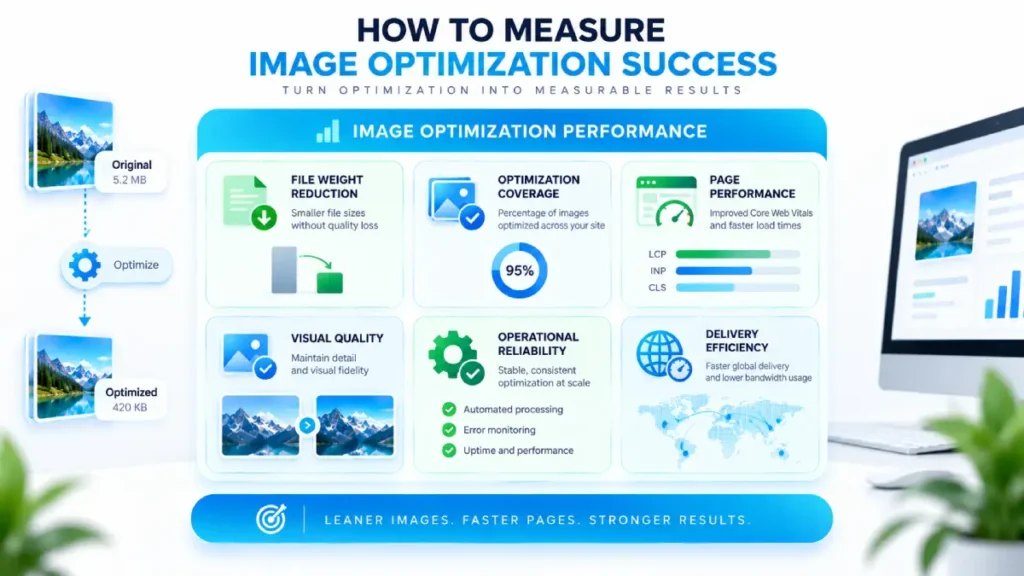
File-weight reduction
Compare image transfer sizes before and after implementation.
The objective is not necessarily to create the smallest possible files. Teams should measure reductions alongside visual quality and delivery requirements.
Optimization coverage
Measure how much of the existing and new media library is actually being processed.
A highly effective compression system provides limited organizational value if only a small percentage of image assets pass through it.
Page-level performance
Review affected pages, particularly pages where images represent significant resources or contribute to the visible rendering experience and can influence Largest Contentful Paint performance
Where relevant, image performance can also be evaluated alongside broader page experience metrics such as Largest Contentful Paint.
User-facing quality
Check whether compression or format conversion creates visible degradation.
Technical efficiency should not come at the expense of product imagery, editorial photography, or other assets where visual quality matters.
Operational reliability
Monitor:
- failed jobs;
- processing delays;
- integration errors;
- workflow exceptions;
- unexpected image output.
The objective is not to achieve the smallest possible image files.
It is to establish an efficient balance between file weight, visual quality, delivery performance, and operational reliability.
Final Decision: Choose Architecture Before Software
Enterprise image compression software should be treated as one component of a broader image optimization system.
Before comparing individual products, determine:
- where images enter the organization;
- how many existing assets require optimization;
- whether transformations should occur before upload, inside the CMS, at the delivery layer, or through infrastructure;
- what level of automation is required;
- how the solution will integrate with existing systems;
- how results will be monitored over time.
These decisions are part of a broader technical SEO infrastructure strategy that extends beyond individual optimization tools. Only then should the organization compare software vendors.
The strongest selection process does not begin with compression percentages, feature lists, or vendor marketing claims.
It begins with the workflow.
Once an organization understands where it can reliably control image optimization, it can select software that fits that architecture rather than redesigning its workflow around a tool.
For enterprise SEO teams, software selection should follow architecture—not lead it.




