
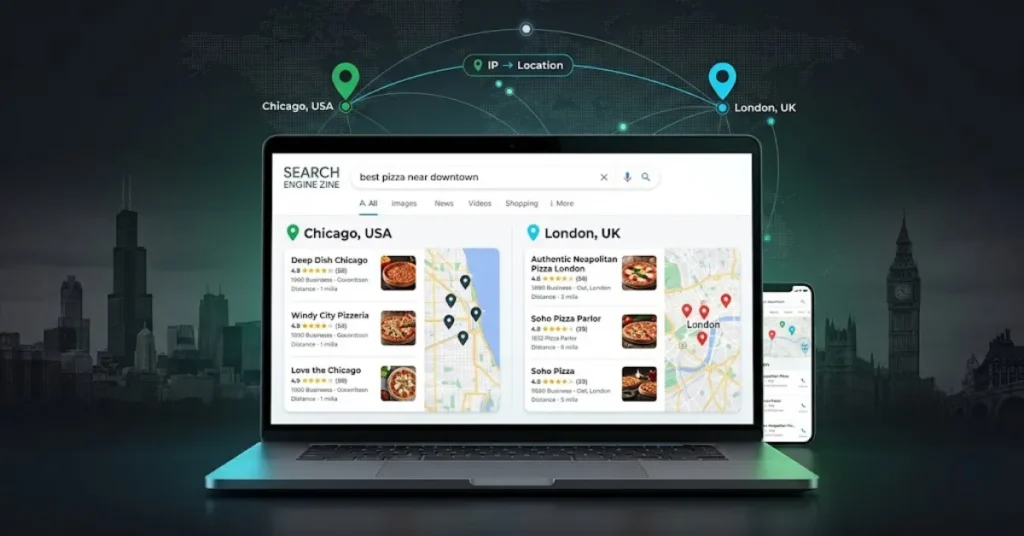
Yes—you can check Google results in another city without physically being there. The important distinction is that changing Google’s country or region setting is not necessarily the same as checking a city-specific SERP.
For a quick regional check, Google lets you change the Search region. Google confirms that Search results are customized to the current region and provides controls for selecting another region.
If you need to investigate a specific city—especially for local SEO, competitor research, or SERP analysis—a location-specific SERP tool is more practical.
Mangools SERPChecker, for example, provides localized SERPs for more than 65,000 locations, including cities, and supports desktop and mobile results.
The key is not simply changing your location. It is making sure the keyword, location, device, and search context match the market you want to investigate.
Why Google Results Change by City
Google does not necessarily show identical results to every searcher. Google official documentation says Search uses context such as location, language, device type, and recent searches to improve relevance.
For example, searching for pizza in a particular city can produce results relevant to that location.
Google also explains that the location used for Search can be based on signals such as your IP address or device location.
That means the same query can produce different results or SERP layouts in different locations.
For SEO, this matters because a broad national ranking check can hide what potential customers in a particular city actually encounter.
How to Check Google Results Another City
There are two practical approaches.
1. Use Google’s Own Search Controls
Google allows you to change the Search region on desktop:
- Open Google Search settings.
- Find Region Settings.
- Select the desired region.
- Save the setting.
- Run your search again.
On Android, Google provides a Search region option under the Google app’s language and region settings. iPhone and iPad users can also choose a region for Search results.
This is useful when you want a quick regional comparison.
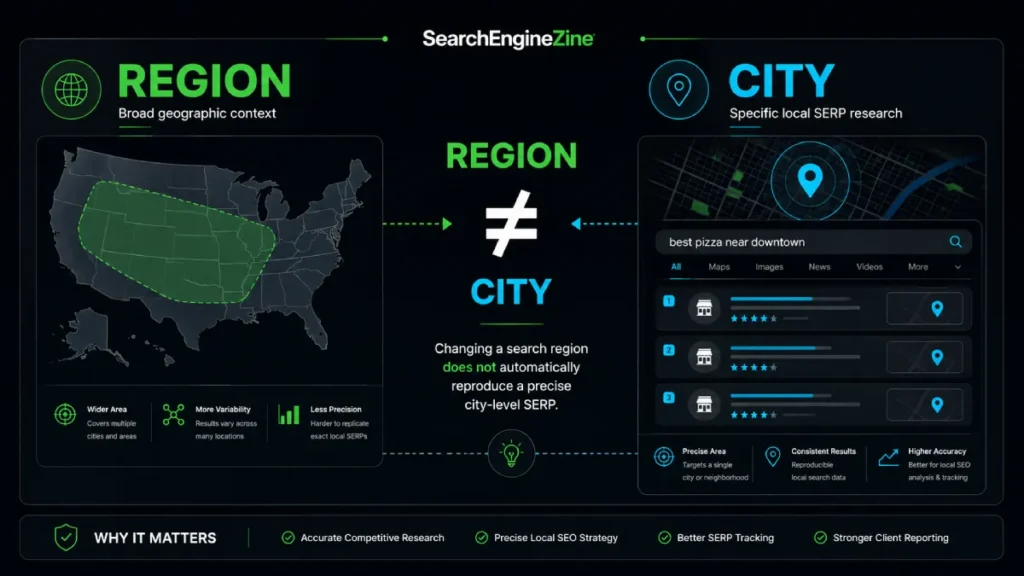
However, there is an important limitation: a region setting should not automatically be treated as a precise simulation of a particular city’s SERP. Google distinguishes region selection from the broader location context it uses when generating Search results.
2. Use a Location-Specific SERP Tool
For repeatable SEO research, a dedicated SERP tool is more efficient.
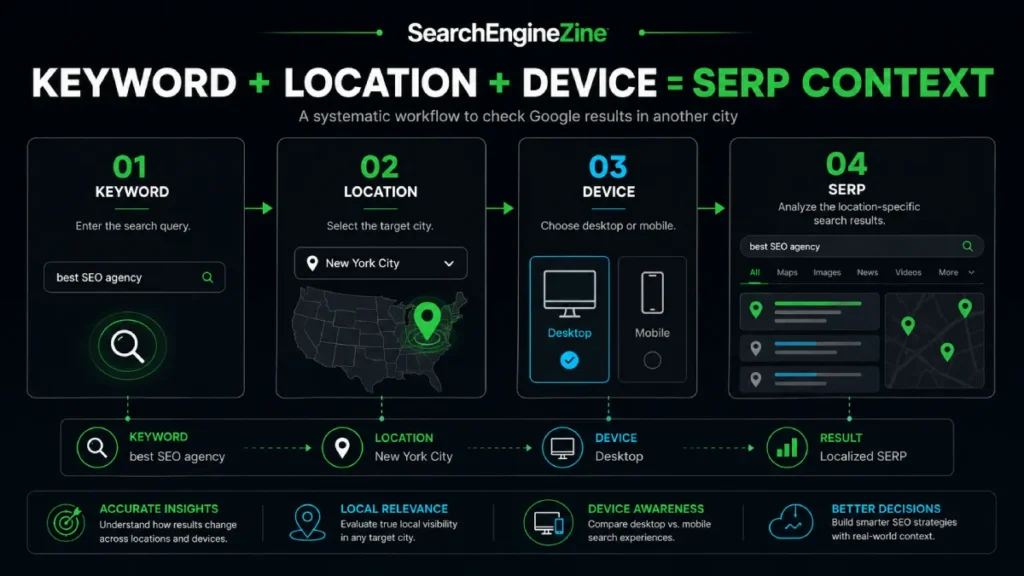
Mangools SERPChecker lets you enter a keyword, select a location, and analyze the resulting SERP. Its local SERP documentation says the location database includes cities, regions, states, countries, and other geographic areas, while its SERP analysis supports desktop and mobile results.
A basic workflow is:
- Enter your target keyword.
- Select the country.
- Choose the specific city or location.
- Select desktop or mobile where relevant.
- Analyze the SERP.
- Examine the ranking pages, competitors, and SERP features.
For a broader view of location-based SERP monitoring, you can also use SearchEngineZine’s SERP intelligence resource.
City-Level Results vs. Country/Region Results
These are related, but they are not interchangeable.
| Method | Best for | City-level research | Repeatable SEO analysis |
|---|---|---|---|
| Google region setting | Quick regional check | Limited | Low |
| Manual location-based search | Occasional investigation | Variable | Medium |
| SERPChecker | SEO and SERP research | Yes | High |
Google’s region control is designed to let users see results for another country or region. At the same time, Google says location is part of the search context used to improve relevance.
So don’t assume that selecting the United States as a region tells you exactly what a searcher in New York City, Chicago, or Los Angeles will see.
If the question you’re asking is:
“What does this keyword’s SERP look like in this city?”
you need a city-level location option.
How SEO Professionals Should Use Another City’s SERP
Once you can retrieve a city-specific SERP, the real value comes from comparison and interpretation.
A useful workflow is:
Retrieve → Compare → Validate → Interpret
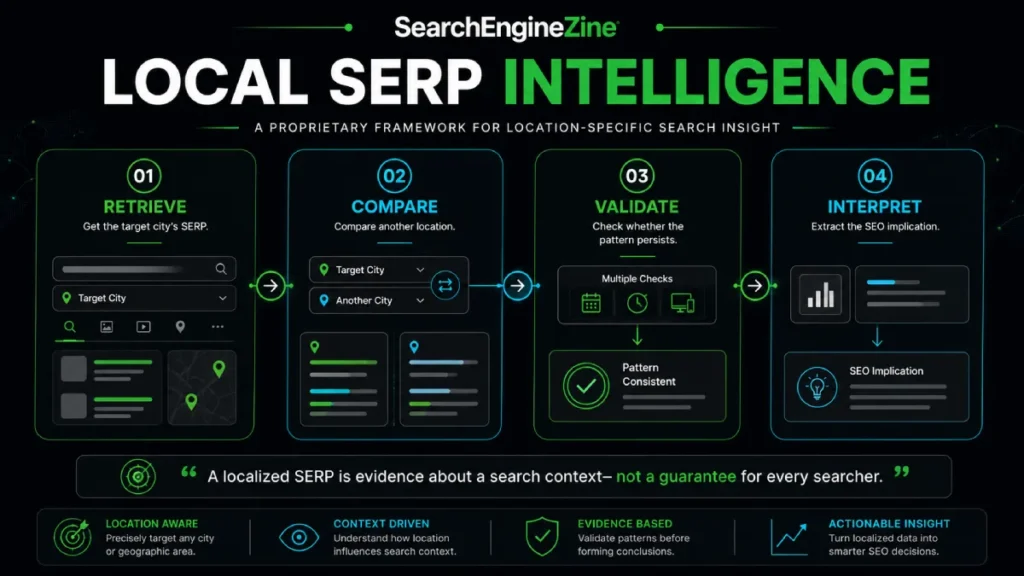
Retrieve
Check the target keyword from the location you’re interested in.
Compare
Run the same keyword for another relevant city and look for differences in:
- ranking URLs;
- competitors;
- local results;
- SERP features;
- organic visibility.
Validate
If a difference could influence an important SEO decision, check it again rather than treating one observation as universal.
Google notes that Search results can vary according to factors including location, language, device type, and personalization.
Interpret
Ask what the difference means for your SEO strategy.
For example, if your page ranks well nationally but disappears from the first page for a target city, that may warrant a closer examination of local competitors, search intent, and location relevance.
For a deeper look at how to evaluate a SERP as an SEO research source, SearchEngineZine’s SERP intelligence resource provides a related analytical workflow.
The important point is that a localized SERP is evidence about a particular search context—not a guarantee that every person in that city will see an identical page of results.
When a Dedicated SERP Tool Makes More Sense
Manual Google searches are fine when you only need to check one or two queries.
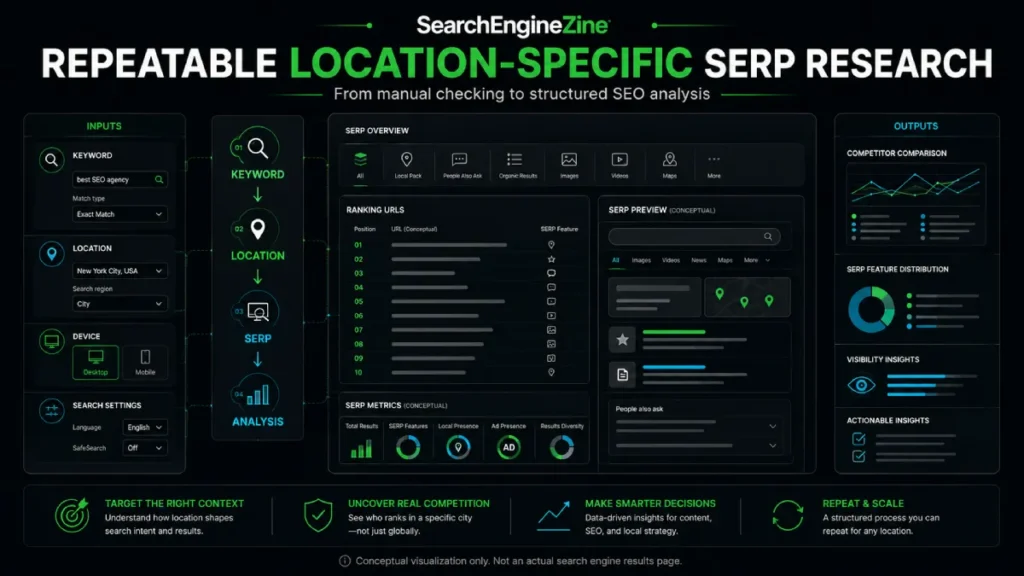
A dedicated SERP tool becomes more valuable when you’re repeatedly analyzing:
- multiple keywords;
- multiple cities;
- desktop versus mobile results;
- competing URLs;
- SERP features;
- local search opportunities.
Mangools says SERPChecker provides localized SERPs across more than 65,000 locations and offers 45+ SEO metrics for analyzing ranking pages. Its local SERP analysis also supports desktop and mobile results and SERP-feature analysis.
That makes it useful for a different job than simply changing Google’s region setting: turning location-specific SERPs into structured SEO research.
What to Watch for When Checking Another City’s SERP
A city-specific SERP should be treated as a controlled observation, not an absolute representation of every searcher.
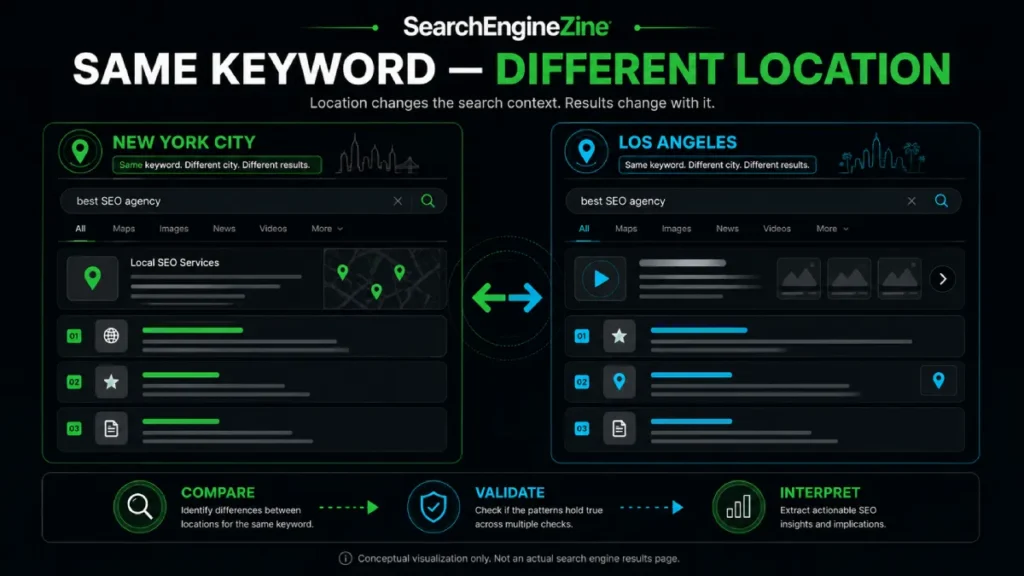
Keep these variables in mind:
- Location: Google uses location as part of Search context, and local searches can produce results relevant to the searcher’s location.
- Device: Google says device type can affect the results and presentation.
- Language: Google considers the language of the query, language settings, device preferences, and location when determining the language of results.
- Personalization: Google can tailor results based on information associated with the user’s account, although Search also provides a non-personalized view in supported situations.
- SERP features: Local packs, featured snippets, carousels, and other enhanced results can change what appears above traditional organic listings. SERPChecker provides SERP-feature analysis as part of its localized SERP workflow.
So, when comparing cities, keep the test conditions as consistent as possible. If you’re making a significant SEO decision, repeat the check and look for a persistent pattern rather than relying on one isolated SERP.
The Practical Takeaway
If you only need a quick regional check, Google’s Region Settings may be sufficient. If you need to investigate a specific city’s SERP repeatedly, use a location-aware SERP workflow instead.
For SEO professionals, the bigger opportunity is not simply to see another city’s Google results. It is to compare those results, identify meaningful differences, and understand what those differences imply for local search visibility.




