
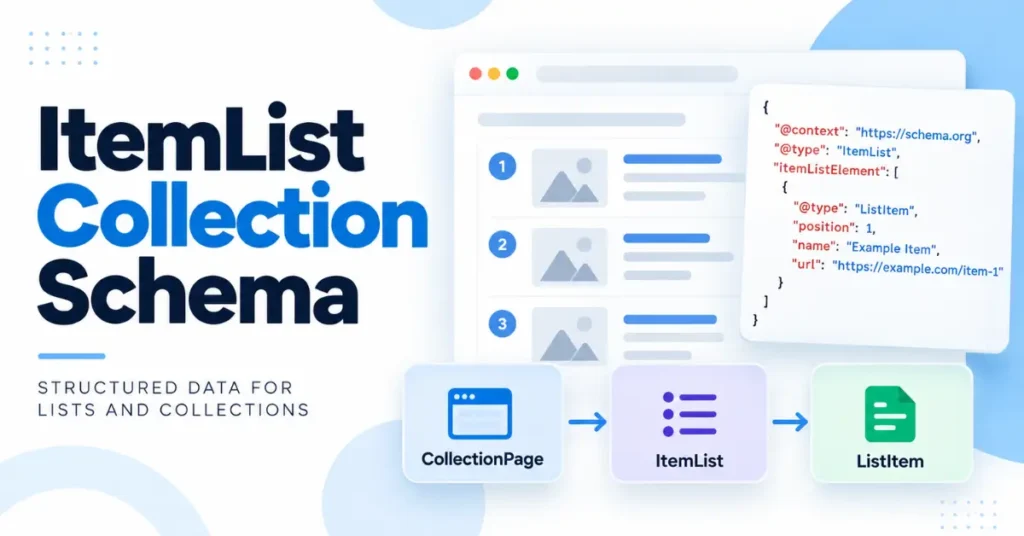
If you are searching for “itemlist collection schema,” the key distinction is that ItemList and CollectionPage are not interchangeable Schema.org types.
ItemList describes a list of items, while CollectionPage describes a web page whose purpose is to present a collection of content.
Schema.org defines ItemList as a list of items and provides properties such as itemListElement, itemListOrder, and numberOfItems; see Schema.org’s ItemList definition for the complete vocabulary.
For an SEO professional, the practical model is:
Use
CollectionPagewhen you are describing the page itself as a collection page; useItemListwhen you need to describe the actual list of items on that page.
However, there is an important qualification: Google’s supported ItemList carousel features are narrower than Schema.org’s general definition of ItemList.
Google currently documents ItemList carousel eligibility for specific supported content types rather than every arbitrary collection.
What Is ItemList Collection Schema?
ItemList is a Schema.org type for representing a list of items. The items can be represented as simple text, existing entities, or ListItem objects.
When order matters, Schema.org specifically recommends using ListItem with a position property because the order of the markup itself is not sufficient to communicate the sequence.
A basic ordered list can therefore look like this:
{
  "@context": "https://schema.org",
  "@type": "ItemList",
  "name": "SEO Tools",
  "itemListElement": [
    {
      "@type": "ListItem",
      "position": 1,
      "name": "Tool One",
      "url": "https://example.com/tool-one"
    },
    {
      "@type": "ListItem",
      "position": 2,
      "name": "Tool Two",
      "url": "https://example.com/tool-two"
    }
  ]
}
The important point is that Schema.org’s ItemList vocabulary is broader than Google’s rich-result implementation.
ItemList vs. CollectionPage
The two types describe different things.
| Schema | What it describes | Typical purpose |
|---|---|---|
ItemList | A list of items | Communicate items and, where applicable, their order |
CollectionPage | A web page that is a collection page | Describe the nature of the page itself |
ListItem | An individual entry within an ItemList | Identify position and/or the item represented |
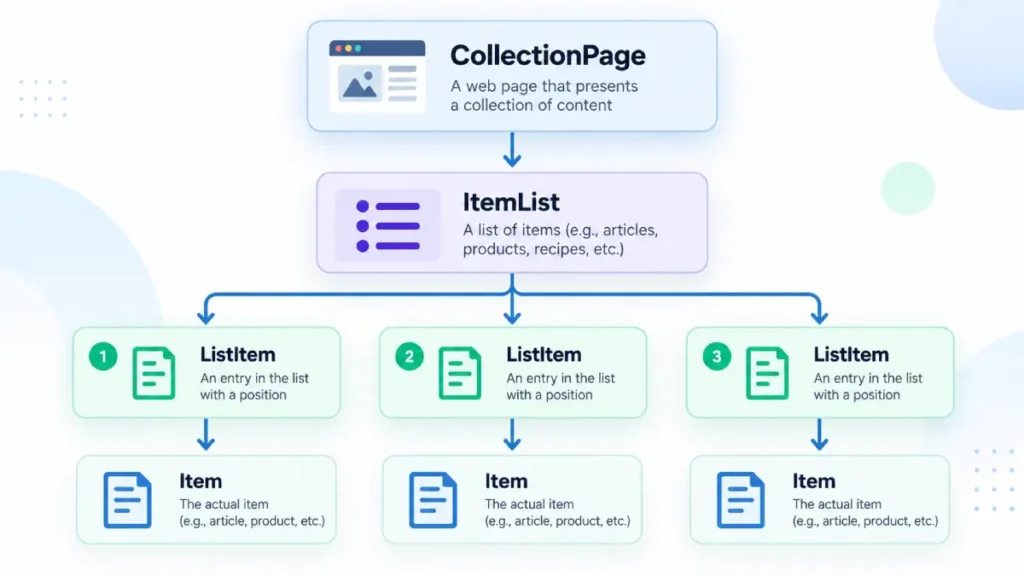
Schema.org classifies CollectionPage as a WebPage type representing a collection page; see Schema.org’s CollectionPage type for its formal definition.
So these are not competing choices in every implementation.
A page can conceptually be:
Web page
└── CollectionPage
    └── ItemList
        ├── ListItem 1
        ├── ListItem 2
        └── ListItem 3
The important caveat is that you should only implement types that accurately describe the visible page and its content.
When Should You Use ItemList?
Use ItemList when the page genuinely contains a list or collection of identifiable items.
Examples include:
- a recipe index;
- a course catalogue;
- a movie listing;
- a restaurant listing;
- an ordered ranking;
- a collection of individual resources.
Schema.org itself gives examples ranging from ranked lists to collections of entities and explains that ListItem is particularly useful when additional context such as position is required.
For example, if a page visibly contains:
- SEO Tool A
- SEO Tool B
- SEO Tool C
an ItemList can communicate that structure in machine-readable form.
When Does Google Support ItemList for Rich Results?
This is where many implementations become confusing.
Google does not treat every Schema.org ItemList as automatically eligible for a carousel.
Google’s supported carousel implementation has its own requirements for ItemList, ListItem, positions, URLs, and supported content types; see Google’s ItemList carousel documentation before implementing markup for a Google search feature.
Google also documents a newer beta carousel experience supporting ItemList with LocalBusiness, Product, and Event types.
Therefore:
Valid Schema.org
ItemList≠ guaranteed Google rich-result eligibility.
That distinction is critical when implementing structured data for SEO.
How ListItem Works Inside ItemList
For ordered lists, each entry should identify its position.
{
  "@type": "ListItem",
  "position": 1,
  "item": {
    "@type": "Thing",
    "name": "Example Item",
    "url": "https://example.com/example-item"
  }
}
Schema.org defines position as the position of an item in a series or sequence. ListItem can also reference the actual entity represented by the list entry through item.
For Google’s supported carousel implementations, position is also required and is a 1-based integer. Google requires the list to contain at least two ListItem elements for its documented standard carousel implementation.
If you are implementing the markup itself, see our guide to JSON-LD implementation for the underlying syntax and deployment approach.
Summary Page vs. All-in-One Page
Google makes an important distinction between two ItemList implementations.
Summary page
A summary page links to individual detail pages.
For example:
Recipe Collection
├── Recipe A → /recipe-a/
├── Recipe B → /recipe-b/
└── Recipe C → /recipe-c/
For Google’s supported carousel implementation, the ListItem can identify the position and canonical URL of each detail page. The URLs must be unique and belong to the same domain.
All-in-one page
All of the items are represented on the same page.
In that situation, Google’s documentation uses the item representation and requires the relevant item information, including the item’s name and URL/anchor structure.
The distinction matters because you should not blindly copy a summary-page implementation onto a page where the complete items are already embedded.
Does ItemList Automatically Improve Rankings?
No ranking improvement should be assumed simply because ItemList has been added.
Structured data helps search engines interpret content and can make a page eligible for particular search features when Google’s requirements are met. But eligibility is different from guaranteed appearance, traffic, or rankings.
Google explicitly frames structured data in terms of eligibility for supported search enhancements rather than guaranteed display. Its documentation also recommends validating structured data and checking how Google sees the deployed page.
That makes the correct implementation goal:
accurate representation → valid markup → eligibility where supported
—not “add ItemList and expect a ranking boost.”
A Practical Implementation Model
For an SEO professional, use this decision process:
- Is the page actually a collection page?
If yes,CollectionPagemay accurately describe the page itself. - Does the page contain a genuine list of items?
If yes, considerItemList. - Does order matter?
UseListItemandposition. - Does each item have its own page?
For supported Google carousel implementations, use the appropriate detail-page URLs. - Does Google’s relevant carousel documentation support the content type?
Check the current Google documentation before expecting a rich-result treatment. - Does the structured data match visible content?
Google’s carousel guidelines require the structured data to correspond to the content presented to users. - Validate before deployment.
Google recommends validating structured data and using URL Inspection after implementation.
For broader structured-data implementation work, explore SearchEngineZine’s structured data implementation resources for related technical guidance.
For practitioners working with more complex entity relationships, see our guide to advanced schema architecture for deeper structured-data considerations.
The Bottom Line
ItemList describes the list; CollectionPage describes the collection page. They can therefore serve different layers of the same page rather than being mutually exclusive alternatives.
The most important SEO distinction is that Schema.org’s general ItemList vocabulary is broader than Google’s supported rich-result/carousel implementations.
Google’s documented carousel features have specific content-type and structural requirements, so an ItemList should not be implemented merely to pursue a generic rich result.
When the markup accurately represents the visible content, the implementation is technically valid, and the content fits a supported Google feature, ItemList becomes a useful machine-readable representation of the page’s list structure.




