
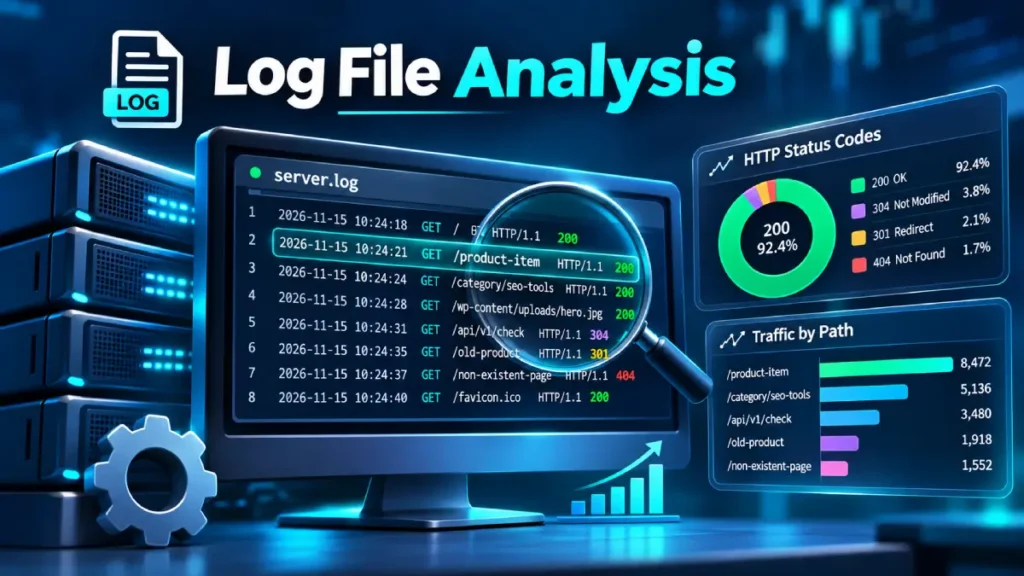
Log file analysis is the direct examination of web server access logs to uncover how search engine crawlers—most notably Googlebot—interact with your website.
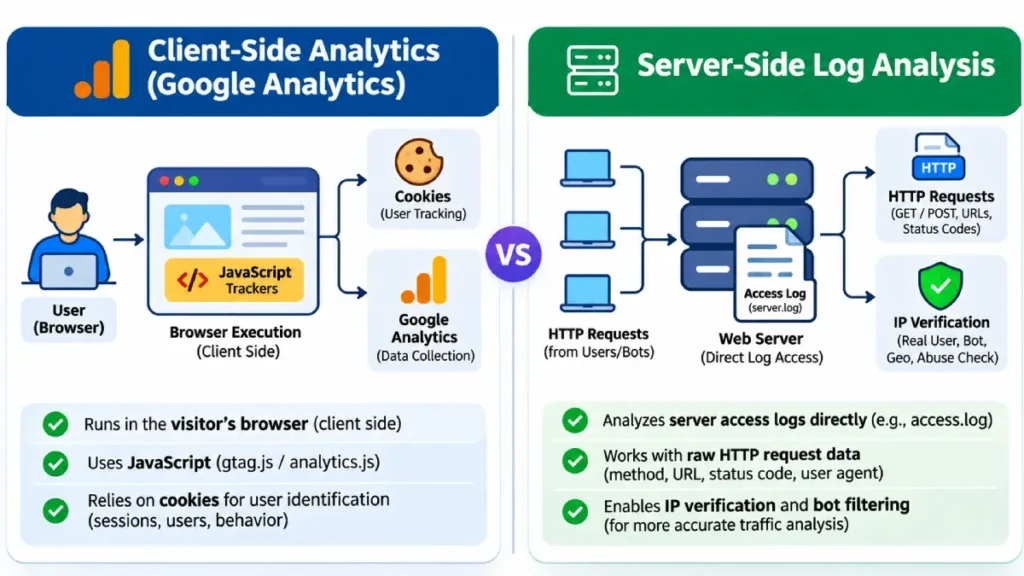
Unlike client-side analytics tools like Google Analytics or Matomo, which rely on JavaScript execution to track user sessions and pageviews, server logs record every HTTP request made to your web server in real time.
For technical SEO professionals, log file analysis is an indispensable diagnostic method. It reveals how search engines discover, crawl, and consume resources on your site without relying on sampled data, browser quirks, or tracking code execution.
What Is Log File Analysis and Why Does It Matter?
At its core, log file analysis involves parsing server log formats (such as the Common Log Format or the Combined Log Format) to extract granular data on bot behavior.
Every time a visitor or a bot requests a file, image, stylesheet, or HTML document from your server, the event is permanently recorded in your server’s log file with a timestamp, IP address, HTTP method, requested URI, HTTP status code, byte size, referrer, and user-agent string.
Relying solely on client-side analytics creates major blind spots in technical SEO. JavaScript-based tags fail when browser extensions block tracking scripts, when users navigate away before scripts load, or when search engine bots process pages without executing full rendering pipelines.
Server logs capture 100% of incoming requests. This transparency allows SEO professionals to answer critical operational questions:
- How frequently are search engine crawlers visiting high-priority pages versus low-value archive pages?
- Are server errors (such as 5xx or 4xx responses) blocking bots from indexing critical content?
- Is crawl budget being wasted on faceted navigation, faceted filters, or dynamic URL parameters?
- Are newly published or updated URLs being discovered and crawled promptly?
How Search Engine Bots Interact with Your Server
Understanding the mechanics of bot crawling helps contextualize server log patterns. Search engine crawlers operate via automated distributed systems that send HTTP GET requests to URLs discovered through sitemaps, internal links, and historical crawl data.
When Googlebot requests a URL, it negotiates a connection with your web server, checks response headers, and evaluates the status code. If the server returns a 200 OK status, the crawler processes the HTML content.
If it encounters a redirect (301 Moved Permanently or 302 Found), it follows the redirect chain up to a predefined limit before indexing the final destination.
The Bot Identification Challenge
A common pitfall in log analysis is trusting the User-Agent string blindly. Because User-Agent strings can be easily spoofed by malicious scrapers and spammers, verifying legitimate search engine crawlers requires reverse DNS lookups (PTR lookup) followed by forward DNS confirmation (A record lookup).
For example, valid Googlebot IPs must resolve to domains ending in googlebot.com or .google.com. Professional log analysis tools automatically perform these DNS verifications to ensure traffic attribution is accurate.
Core Metrics and Data Points in Server Logs
To extract actionable insights from raw log data, SEO professionals focus on several core metrics and dimensions:
| Metric / Dimension | Description | SEO Significance |
| Request Frequency / Volume | Total number of hits per bot over a given timeframe. | Indicates crawl priority and overall server resource allocation for search bots. |
| HTTP Status Codes | Numerical responses (200, 301, 404, 500, etc.) returned by the server. | Highlights broken links, redirect loops, and server instability impacting indexation. |
| Crawl Timestamps | Exact date and time of each bot request. | Shows crawl velocity changes after site updates or sitemap resubmissions. |
| Resource Types | File extensions or MIME types (.html, .js, .css, .jpg, etc.). | Reveals whether bots are wasting crawl budget on non-HTML assets or scripts. |
| URL Parameters & Query Strings | Unique query parameters appended to URLs. | Identifies duplicate content generation through faceted filters and sorting parameters. |
Step-by-Step Log File Analysis Workflow
Conducting a thorough log file audit requires a structured workflow, moving from data acquisition to remediation.
1. Data Collection and Preparation
Obtain raw server logs from your hosting provider, CDN (such as Cloudflare or CloudFront), or load balancer. Ensure logs are stored in a standardized format (Combined Log Format is preferred as it includes the User-Agent and Referrer). Depending on your site’s traffic volume, log files can grow rapidly, so import them into a dedicated log analysis tool (such as Screaming Frog Log File Analyzer, ELK Stack, or BigQuery) rather than attempting manual spreadsheet analysis.
2. Filtering and Segmentation
Isolate bot traffic from human visitor traffic by filtering for verified search engine user agents (Googlebot, Bingbot, Applebot, etc.). Once isolated, segment the data by:
- Bot type: Compare Googlebot-Smartphone versus Googlebot-Desktop activity.
- Directory or template type: Analyze log requests across product pages, blog posts, category pages, and tag archives separately.
- Status code categories: Separate successful requests (
2xx) from redirects (3xx), client errors (4xx), and server errors (5xx).
3. Cross-Referencing with Site Architecture
Compare your log data against your internal sitemap inventory and site crawler data. Overlaying log frequencies onto your URL database reveals three critical groups of URLs:
- Active & Crawled: Pages that receive frequent bot visits and rank well.
- Orphaned / Unvisited: Pages present in your sitemap that show zero bot requests in logs over 30 days.
- Crawl Traps / Waste: Low-value or dynamic URL variations consuming thousands of hits while offering no unique SEO value.
Identifying and Resolving Crawl Budget Bottlenecks
Crawl budget, the number of pages a search engine can and wants to crawl on your site—becomes a critical constraint for enterprise websites containing millions of URLs. Log file analysis is the primary method for diagnosing and resolving crawl budget inefficiencies.
+-------------------------------------------------------------+
|               Crawl Budget Waste Diagnostics                |
+-------------------------------------------------------------+
                              │
         ┌────────────────────┴────────────────────┐
         ▼                                         ▼
[Faceted Navigation Traps]              [Soft 404s & Error Loops]
 • Infinite parameter combinations       • Missing pages returning 200 OK
 • Sorting & filtering variations        • Infinite redirect chains
         │                                         │
         └────────────────────┬────────────────────┘
                              ▼
               [Remediation & Optimization]
         • Implement robots.txt disallow directives
         • Utilize rel="canonical" tags correctly
         • Fix internal links pointing to dead URLs
Common Culprits of Crawl Waste
- Faceted Navigation: E-commerce category pages featuring multiple filter combinations (e.g., color, size, price, brand) often generate millions of low-value URL permutations that trap crawlers.
- Pagination Loops: Poorly structured infinite scrolling or misconfigured pagination links can cause bots to cycle endlessly through archive pages.
- Soft 404s: Pages that return a
200 OKstatus code even though the content is missing or blank, misleading bots into wasting crawl resources trying to parse empty templates.
Common Log Analysis Pitfalls and Misinterpretations
Even experienced professionals can misinterpret server log data if they overlook foundational technical nuances:
- Ignoring CDN Caching Layers: If your site sits behind a reverse proxy or CDN, the origin server logs may only record CDN edge requests rather than actual bot requests. Ensure you configure your logging pipeline to capture true client IPs and headers forwarded by your CDN.
- Failing to Account for Site Migrations: Sudden spikes in
5xxerrors or drops in crawl frequency following a site redesign or server migration require immediate correlation with deployment timelines rather than assuming algorithmic penalties. - Overreacting to Low-Priority Crawl Drops: Not every page on your website needs daily crawls. A drop in bot requests for static, archival content is normal and does not necessarily indicate an indexing penalty.
Conclusion and Next Steps
Log file analysis bridges the gap between theoretical site architecture and actual search engine behavior. By moving beyond client-side analytics and examining server access logs directly, SEO professionals gain undeniable visibility into crawl efficiency, error rates, and resource allocation.
To begin, export your most recent 30 days of server logs, isolate your primary search engine bots, and cross-reference crawl frequencies against your core revenue-generating URL templates.