
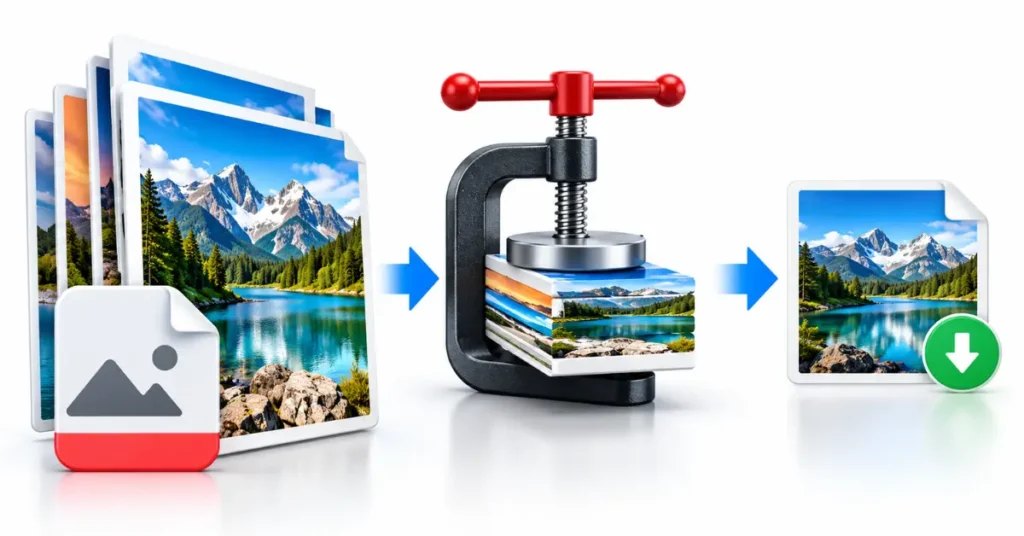
Selecting the right image compression software directly determines whether an e-commerce catalog or content publisher hits Google’s Core Web Vitals thresholds or suffers from degraded Largest Contentful Paint (LCP) scores.
For technical SEO professionals, image optimization is not merely about shrinking file sizes—it is an engineering discipline that balances psychovisual quality metrics, byte-budget allocations, next-generation image formats, and automated deployment pipelines.
Unoptimized images frequently account for over 60% of total page weight on average web pages, making compression software one of the highest-leverage levers for site speed optimization.
Compression Mechanics and Core Web Vitals Impact
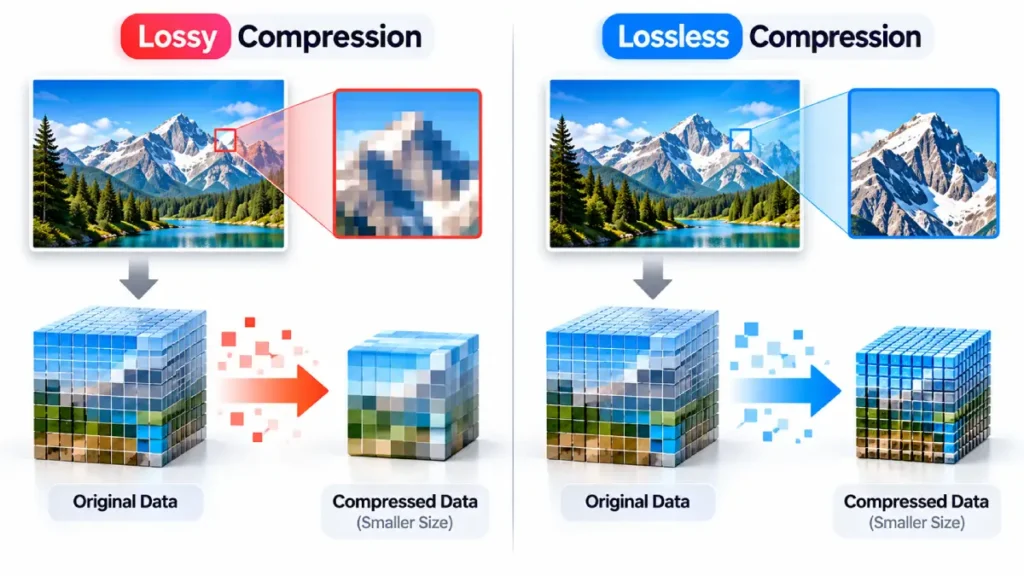
Image compression software operates using two fundamental reduction frameworks: lossy and lossless algorithms. Lossy compression permanently strips redundant or imperceptible color and pixel data, yielding massive file size reductions (often 60% to 80%) at the cost of slight visual fidelity loss.
Modern lossy encoders, such as MozJPEG, libwebp, and libavif, leverage advanced discrete cosine transforms and chroma subsampling to drastically reduce network payload without causing visible artifacts at standard display resolutions.
Lossless compression, by contrast, removes unnecessary metadata (such as EXIF camera settings, embedded color profiles, and geopositioning data) and re-encodes pixel arrays using Huffman coding or LZ77 entropy encoding. While lossless compression guarantees bit-for-bit visual parity, file size reductions typically top out between 5% and 20%.
Raw Uncompressed Image (EXIF, ICC, Color Vectors)
       │
       ├──> Lossless Pipeline ──> Stripped Metadata + Huffman Coding ──> 10-20% Byte Reduction (Bit-identical)
       │
       └──> Lossy Pipeline ──────> Subsampling + Quantization Matrices ──> 60-80% Byte Reduction (Perceptually Lossless)
From an SEO perspective, selecting software capable of aggressive lossy compression with psychovisual tuning is essential for satisfying evaluating Largest Contentful Paint benchmarks.
Because LCP measures when the largest visual element in the viewport finishes rendering, compressing hero banners into modern formats directly accelerates network fetch times and DOM render cycles.
Furthermore, stripping unnecessary structural metadata reduces byte overhead without impacting Cumulative Layout Shift (CLS) or Interaction to Next Paint (INP).
Evaluating Local CLI, SaaS API, and Build-Pipeline Tools
SEO professionals must evaluate image compression software based on deployment architecture. Software generally falls into three operational tiers: local desktop/CLI tools, cloud-based SaaS APIs, and build-pipeline modules.
Local Desktop and Command-Line (CLI) Tools
Local software is ideal for manual visual auditing, batch asset preparation, and pre-deployment testing.
- Squoosh (CLI & Web): Maintained by Google’s Chrome team, Squoosh provides real-time psychovisual side-by-side comparison across codecs including AVIF, WebP, MozJPEG, and OXI PNG. Its command-line interface allows technical teams to execute batch script conversions with custom quantization parameters.
- ImageOptim / Trimage: ImageOptim (macOS) and Trimage (Linux) excel at lossless metadata removal and multi-engine optimization, passing assets through engines like pngcrush, AdvPNG, and OptiPNG.
- FileOptimizer: A Windows-based utility utilizing multi-plugin compression pipelines for aggressive bulk lossy and lossless processing across dozens of file extensions.
Cloud APIs and Edge Compression Services
For enterprise applications and dynamic CMS environments, manual processing fails to scale. Cloud APIs hook directly into media libraries or CDN edge nodes to compress assets on the fly.
- TinyPNG / TinyJPG API: Utilizes smart lossy quantization to reduce indexed PNG and JPEG file sizes by converting 24-bit images to 8-bit indexed color palettes with full alpha transparency preservation.
- ShortPixel / Imagify: Plugin and API ecosystems built specifically for content management platforms, enabling automatic WebP/AVIF generation and EXIF stripping upon file upload.
- Cloudinary and Imgix: Edge-based media orchestration platforms that dynamically detect user-agent browser capabilities and deliver auto-compressed assets via the
<picture>element orsrcsetattributes.
Build-Pipeline Encoders
For custom web applications built on Node.js or static site generators (Next.js, Nuxt, Astro), command-line engines such as sharp (built on libvips) or imagemin allow developers to integrate strict compression parameters directly into continuous integration / continuous deployment (CI/CD) builds.
Software Engine Comparison for SEO Workflows
The following table summarizes the core technical specifications and ideal SEO use cases across leading compression software options:
| Software / Engine | Supported Output Formats | Automation / API Support | Compression Mechanism | Target SEO Use Case |
| Squoosh CLI | WebP, AVIF, MozJPEG, PNG | Scriptable CLI | Lossy & Lossless (Custom Quantization) | Pre-launch hero banner auditing & baseline testing |
| sharp (libvips) | WebP, AVIF, JPEG, PNG, TIFF | Node.js / CI/CD Native | Programmatic Lossy & Lossless | Automated web application build pipelines |
| TinyPNG API | WebP, PNG, JPEG | REST API & CMS Plugins | Smart Lossy Palettization | Automated CMS upload optimization |
| ImageOptim | PNG, JPEG, GIF | Desktop / CLI Wrapper | Lossless Metadata Removal | Removing EXIF overhead without visual degradation |
| ShortPixel | AVIF, WebP, JPEG, PNG | REST API & WordPress | Lossy, Glossy, & Lossless | Bulk legacy image library optimization |
| Cloudinary | Dynamic (AVIF, WebP, JPEG XL) | Real-time Edge CDN | Algorithmic / Contextual Lossy | Enterprise multi-device delivery and dynamic scaling |
Psychovisual Benchmarking: SSIM and Butteraugli Metrics
A primary challenge in SEO image optimization is preventing visual artifacts—such as color banding, blockiness, or edge blur—that harm user experience while pushing byte budgets down to necessary speed targets.
Advanced compression software integrates psychovisual metrics to determine the exact threshold where an image loses bytes without losing perceived quality.
SEO teams should leverage two primary objective visual quality algorithms:
- Structural Similarity Index Measure (SSIM): Measures image quality by comparing initial luminance, contrast, and structural patterns against the compressed output. According to technical documentation on Google’s Butteraugli visual comparison tool, maintaining an SSIM score above 0.95 ensures that human eye perception cannot discern compression artifacts under normal browsing conditions.
- Butteraugli / DSSIM: Psychovisual engines designed to estimate the precise point where visual degradation becomes noticeable to a human viewer. Modern build pipelines can run automated scripts using libwebp or libavif alongside Butteraugli tests to automatically reject images that drop below target quality scores.
By establishing automated visual quality gates during file export, technical SEOs can ensure that image payloads remain below 100 KB for hero graphics and under 30 KB for inline body content without risking brand presentation.
Step-by-Step SEO Implementation Workflow
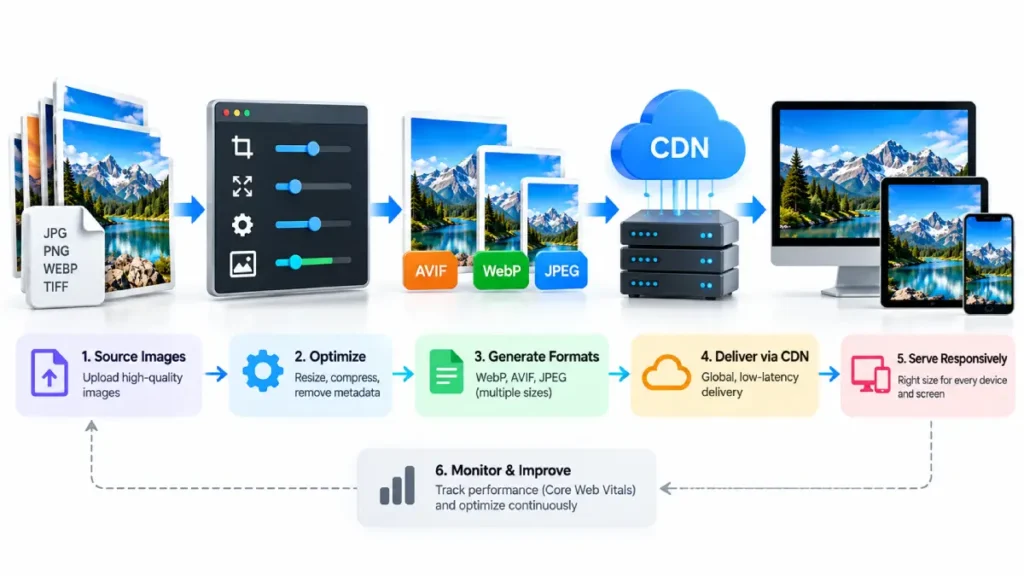
To maximize page speed performance without compromising visual presentation, follow this five-stage image compression deployment pipeline:
[Step 1: Audit] ──> [Step 2: Format Selection] ──> [Step 3: Compression Batch] ──> [Step 4: Quality Gate] ──> [Step 5: Dynamic Markup]
- Audit Current Payload: Execute a full crawl using automated tools and inspect and optimize loading performance metrics via PageSpeed Insights to identify uncompressed, oversized, or metadata-heavy assets.
- Select Target Formats: Convert legacy PNG and JPEG assets into modern image format adoption standards (WebP for broad support, AVIF for maximum byte efficiency). Reference official browser compatibility guidelines on Google Web.Dev optimization standards to verify fallback requirements.
- Configure Batch Compression: Pass identified files through CLI encoders like
sharpor Squoosh CLI. Set JPEG/MozJPEG quality ranges to 75–82, WebP quality to 75, and AVIF effort levels to 4–6 with a target quality of 60–65. - Enforce Metadata Stripping: Ensure all output profiles explicitly strip non-essential EXIF headers, camera profiles, and color space tags while retaining sRGB color space conversion to avoid color shifting on mobile displays.
- Implement Responsive Markup: Deploy compressed assets using HTML5
<picture>tags with fallback<img>formats or utilize nativesrcsetdensity descriptors to serve scaled variants matched to client viewport dimensions:
HTML
<picture>
  <source srcset="hero-banner.avif 1x, hero-banner-2x.avif 2x" type="image/avif">
  <source srcset="hero-banner.webp 1x, hero-banner-2x.webp 2x" type="image/webp">
  <img src="hero-banner.jpg" alt="Technical image compression workflow for web optimization" width="1200" height="675" loading="eager" fetchpriority="high">
</picture>
Integrating robust image compression software into your site’s architecture guarantees fast LCP delivery, reduces server bandwidth consumption, and creates a seamless visual experience across all device categories.




