
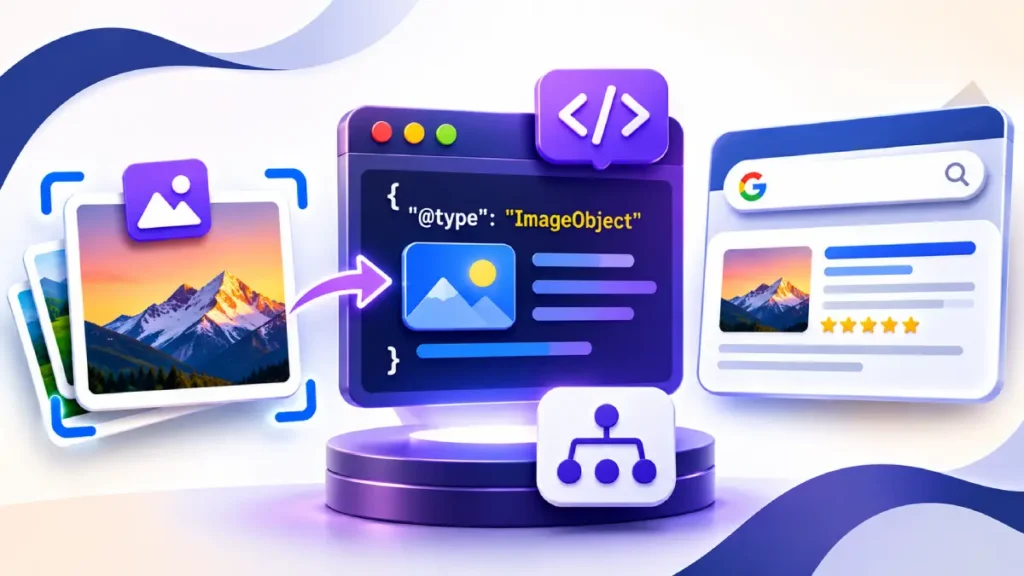
Image schema markup uses ImageObject structured data (typically implemented via JSON-LD) to explicitly define image attributes—such as licensing URLs, creator credits, copyright notices, and captions—for search engines and AI crawlers.
For SEO professionals, deploying ImageObject markup serves two critical functions: qualifying images for the “Licensable” badge and enhanced metadata panels in Google Images, and providing machine-readable entity disambiguation for multimodal AI systems like Google Lens, AI Overviews, and visual search engines.
While standard HTML <img> attributes (alt, src, width, height) remain the baseline for visual accessibility and layout stability, structured data bridges the semantic gap between raw pixel data and entity ownership.
According to Google Search Central’s Image Metadata documentation, ImageObject properties populate the image viewer’s credit and licensing fields without requiring EXIF/IPTC metadata embedded in the binary image file—a crucial advantage when modern CDNs strip binary metadata during WebP or AVIF compression.
Core ImageObject Properties: Required vs. Recommended
Google evaluates ImageObject markup primarily through the lens of licensing transparency and attribution. However, pairing Google’s specific rich-results requirements with the broader Schema.org vocabulary strengthens entity associations across structured data and knowledge graphs.
| Schema Property | Google Rich Result Status | Expected Type | Technical Purpose & SEO Impact |
contentUrl | Required | URL | Direct link to the actual image file (e.g., .jpg, .webp). Must match the crawlable image asset on the page. |
license | Recommended (Required for Licensable badge) | URL | Direct URL to the license terms governing the image (e.g., Creative Commons or custom commercial license page). |
acquireLicensePage | Recommended (Required for Licensable badge) | URL | URL where a user can purchase or request permission to use the image. Triggers the “Get this image” link in Google Images. |
creditText | Recommended | Text | The specific name of the person or organization credited when the image is published. |
creator | Recommended | Person or Organization | Entity node identifying the original photographer, illustrator, or design studio. |
copyrightNotice | Recommended | Text | Formal copyright declaration (e.g., © 2026 Studio Name. All rights reserved.). |
caption | Optional (High AI Value) | Text | Contextual description reinforcing on-page proximity text and alt attributes for multimodal indexing. |
representativeOfPage | Optional | Boolean | Indicates whether the image is the primary visual subject of the webpage (true or false). |
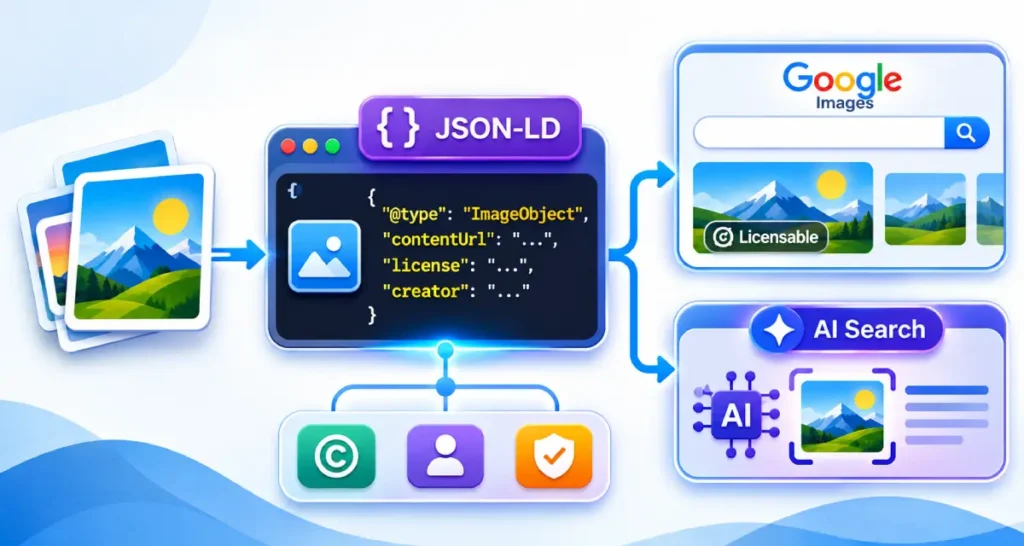
Binary Metadata (IPTC) vs. JSON-LD Structured Data
Google supports two mechanisms for ingesting image rights metadata: embedded IPTC photo metadata and on-page JSON-LD. When both are present on the same image, structured data overrides IPTC metadata for overlapping fields.
For enterprise sites utilizing automated image optimization pipelines (such as Cloudflare Polish, Imgix, or Fastly IO), aggressive compression routines routinely strip EXIF and IPTC headers to reduce payload size.
Relying on JSON-LD guarantees that attribution and licensing signals remain intact at the DOM level regardless of CDN transformations.
Production-Ready JSON-LD Implementation Patterns
Deploying ImageObject markup in isolation is rarely optimal. Search engines process structured data most effectively when images are nested within a connected @graph that links the visual asset to the primary page entity (Article, Product, or WebPage) and the publishing Organization.
Standalone Licensable ImageObject Template
Use this pattern for original photography, proprietary data visualizations, or infographics where copyright protection and licensing attribution are primary objectives:
Nested Entity Graph Pattern (Article + ImageObject)
Rather than scattering disconnected JSON-LD blocks across the <head>, reference the ImageObject via its @id inside your Article or Product schema. This establishes unambiguous ownership between the content, the visual asset, and the publisher:
Technical Pitfalls That Invalidate Image Schema
Even syntactically valid JSON-LD will fail to generate rich enhancements or pass Google Search Console validation if underlying crawl and rendering conditions are misconfigured:
- Mismatched
contentUrland Rendered DOM Source: If your JSON-LD declaresimage-full.jpgincontentUrl, but your responsive<picture>element or lazy-loading script only exposesimage-800w.webpto Googlebot, Google may treat the structured data image as unrendered or disconnected from the page context. Ensure thecontentUrlmatches an actual crawlable asset referenced in the page’s HTML. - Blocking Image Assets in
robots.txt: Hosting images on a separate subdomain or CDN bucket (cdn.example.com) that blocks Googlebot-Image viarobots.txtprevents Google from verifying the image file referenced incontentUrl, invalidating the markup. - Applying
ImageObjectto Decorative UI Elements: Never mark up icons, background textures, spacers, or stock decorative graphics withImageObjectschema. Over-markup dilutes semantic signals and risks manual actions for spammy structured data if licensing properties are applied to public-domain or third-party stock assets you do not own. - Missing
creditTextorcreatorAlongsidelicense: WhilelicenseandacquireLicensePagetrigger the Licensable badge, Google Search Console flags warnings ifcreditText,creator, orcopyrightNoticeare omitted. Always populate at least one attribution property alongside licensing URLs.
Multimodal AI Search and Visual Entity Disambiguation
As Google Lens, Circle to Search, and multimodal large language models increasingly parse visual content alongside text, ImageObject schema acts as a structured provenance layer. When an original chart, product prototype, or proprietary diagram is indexed, structured attribution links that visual signature directly to your brand entity in AI search.
To maximize visual search visibility alongside your schema deployment:
- Align
caption,alt, and Surrounding Text: Ensure thecaptionproperty in yourImageObjectcomplements—rather than duplicates verbatim—your HTMLaltattribute and surrounding H2/H3 context. - Pair with High-Resolution Aspect Ratios: For
ArticleandProductnested images, supply high-resolution assets (minimum 1200px wide) across16:9,4:3, and1:1aspect ratios where applicable to ensure eligibility across Google Discover and visual search carousels. - Validate via Rich Results Test: Always test live URLs—not just raw code snippets—using the Google Rich Results Test to confirm that Googlebot can fetch both the rendered DOM and the underlying image binary without
robots.txtor hotlink-protection blocks.